

- Quality Monitor reports quality by evaluation dimension across the project.
- Agent Performance reports the same measures agent by agent.
Quality monitor
Quality Monitor aggregates the output of the evaluation pipelines into one view, scored by dimension. Use it to decide where quality work is worth doing, rather than to judge how a single conversation went. Navigation: Project -> Insights -> Quality MonitorPage filters
Environment, channel, and date range controls at the top of the page scope everything below them. Filter by environment before you read the scores. Evaluations of test traffic and evaluations of production traffic answer different questions, and an average of both tells you neither.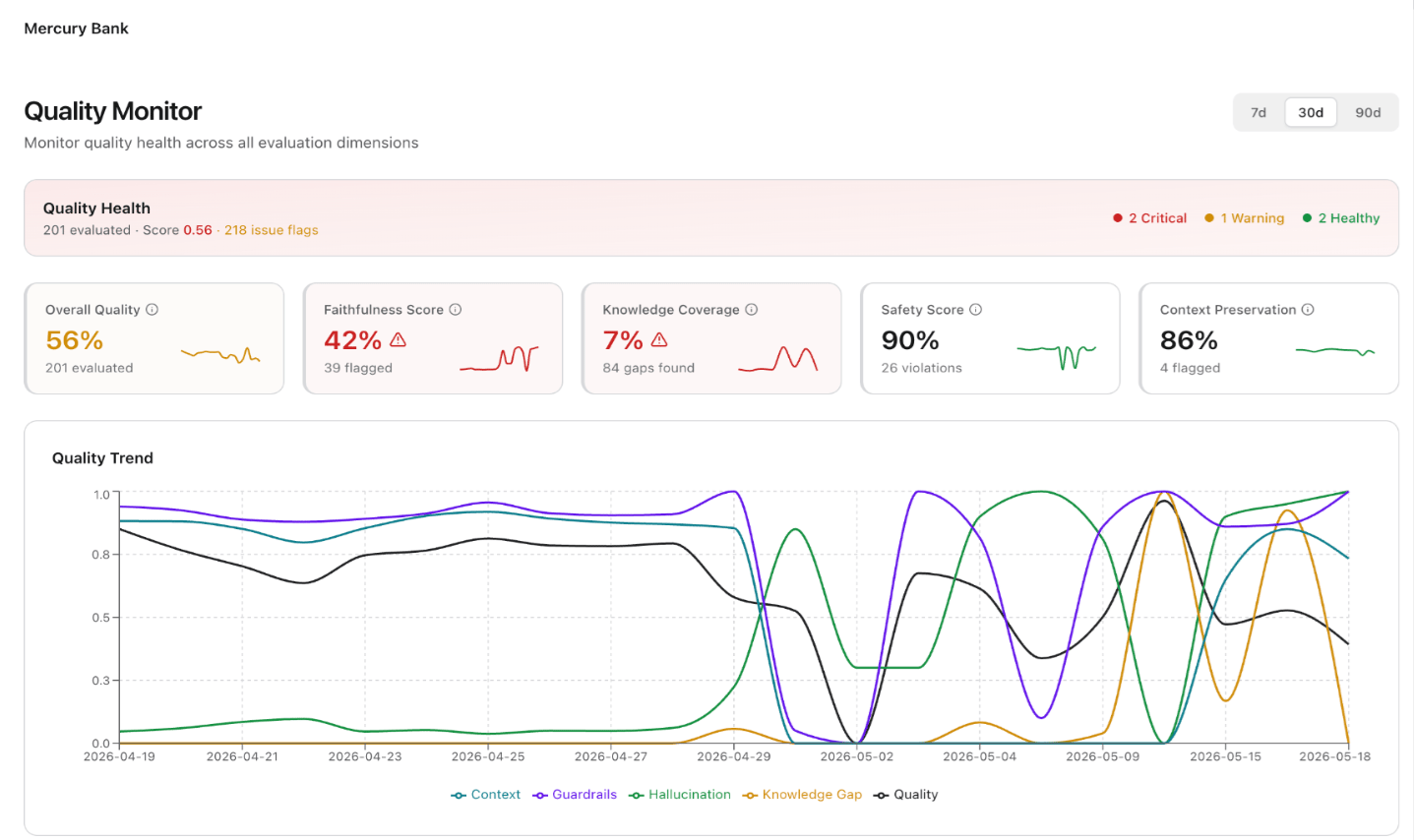
Quality health
A banner across the top gives three figures: the number of conversations the pipelines evaluated, a weighted overall score that combines the dimensions, and a count of dimensions in each status. The three statuses are Critical (red), Warning (amber), and Healthy (green). Read the status counts first. They tell you how many dimensions need attention without your having to interpret each card. A dimension with no data also counts toward the total, so a warning count can reflect missing coverage as readily as poor performance.Dimension cards
Each card reports one evaluation dimension for the period. Higher values are better on every dimension, so a low score always signals a problem rather than a threshold you need to interpret.
A dash means the pipeline behind that dimension produced no value for the period. It doesn’t mean the dimension scored zero.
Quality trend
The trend chart plots each dimension as its own series over the period. Use it for correlation. Dimensions rarely move alone, and a fall in one alongside a rise in another usually points to a single underlying change, such as new traffic the knowledge base doesn’t yet cover.Dimension details
Below the chart, each dimension appears with its score and a Critical, Warning, or Healthy badge. Expand a dimension to see the component measures that produced its score. The expansion separates a dimension that one weak measure pulls down from a dimension that runs weak throughout, and the distinction matters because the first needs a targeted fix and the second usually doesn’t. Dimensions with no evaluations in the period carry a no-data badge in place of a status, so you can tell an unmeasured dimension from a failing one.Agent performance
Agent Performance reports the evaluation measures per agent. Open it once Quality Monitor tells you a dimension slipped. It earns its place in multi-agent projects, where one weak agent can pull down a project average that otherwise looks acceptable. Navigation: Project -> Insights -> Agent PerformancePage filters
Environment, channel, and date range controls scope the page. Select Compare previous period to add a comparison with the period immediately before the one you selected. The comparison turns the scores from absolute values into a direction of travel. Use it before you draw conclusions from a single period, because evaluation scores move considerably on low volume.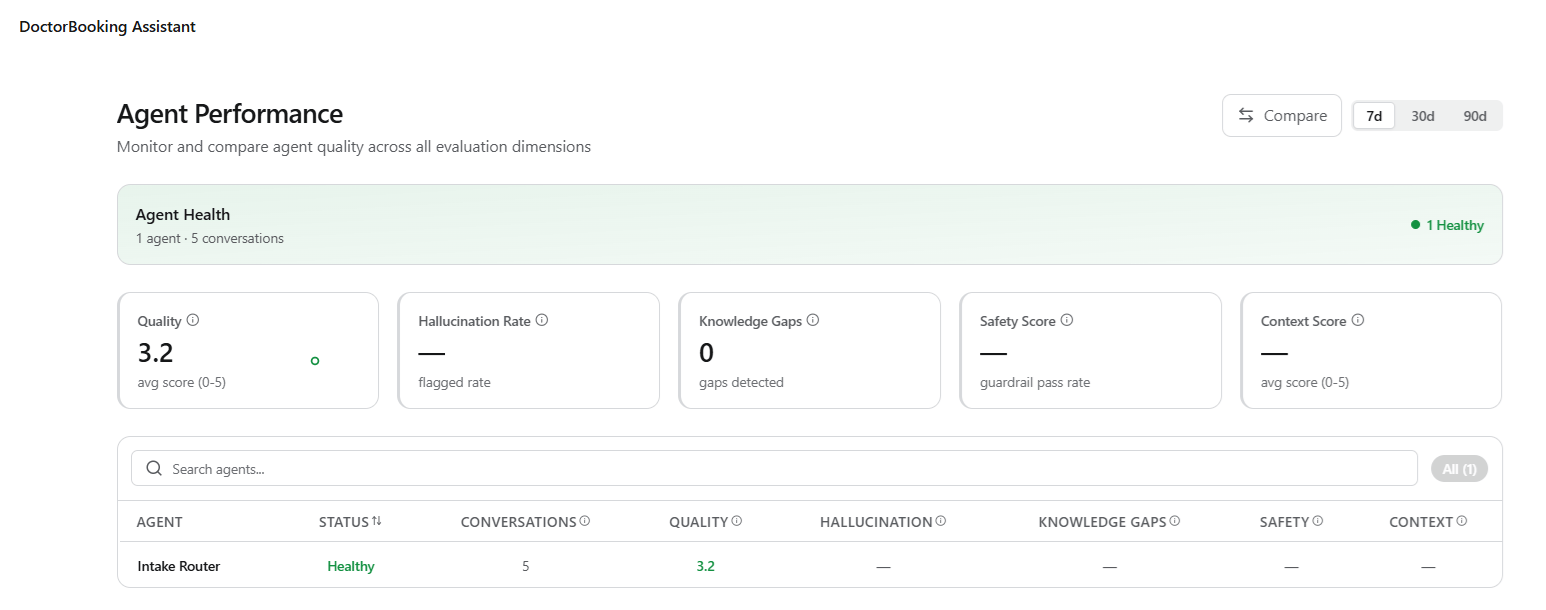
Agent health
A banner reports how many agents the pipelines evaluated, how many conversations that covered, and how many agents fall into each status: Critical (red) and Healthy (green). It tells you whether you face a broad problem or a single agent, before you read any individual score.Metric cards
Five cards aggregate the measures across all agents in scope.Agent table
The table repeats these measures for each agent, alongside the agent’s conversation count and an overall status that derives from its scores. The status appears as a Critical (red) or Healthy (green) badge. Read the table with the conversation count in view. An agent that the pipeline evaluated on a handful of conversations can show the worst scores on the page without being the problem worth fixing. To work through the table:- Search by name to find a specific agent.
- Sort on status to bring the agents that need attention to the top.
- Switch between Critical and All using the filter pills to handle the failing agents first.