

Plans
The platform offers the following plans:How Billing Works
Billing is calculated differently depending on the product.Automation AI
- Billed per 15-minute billing session of user conversation.
- Example: A 31-minute conversation = 3 sessions (0-15 min, 16-30 min, 31-end).
- Sessions are tracked per app. In dynamic routing, the Parent app has its own sessions; sessions routed to a linked app are attributed to that linked app only.
Search AI
- Included in Automation AI; uses the same 15-minute billing session.
- Enterprise users can ingest up to 1 GB of data by default, with an additional 1% allowance. Contract-specific limits override this default.
Contact Center AI
Billed per agent seat:Agent AI
Billed per agent seat, same as Contact Center AI.Add-ons
Billed separately from the base plan.Plan Information
The Plan Information section shows your current plan and product usage. You can upgrade or modify your plan directly from here.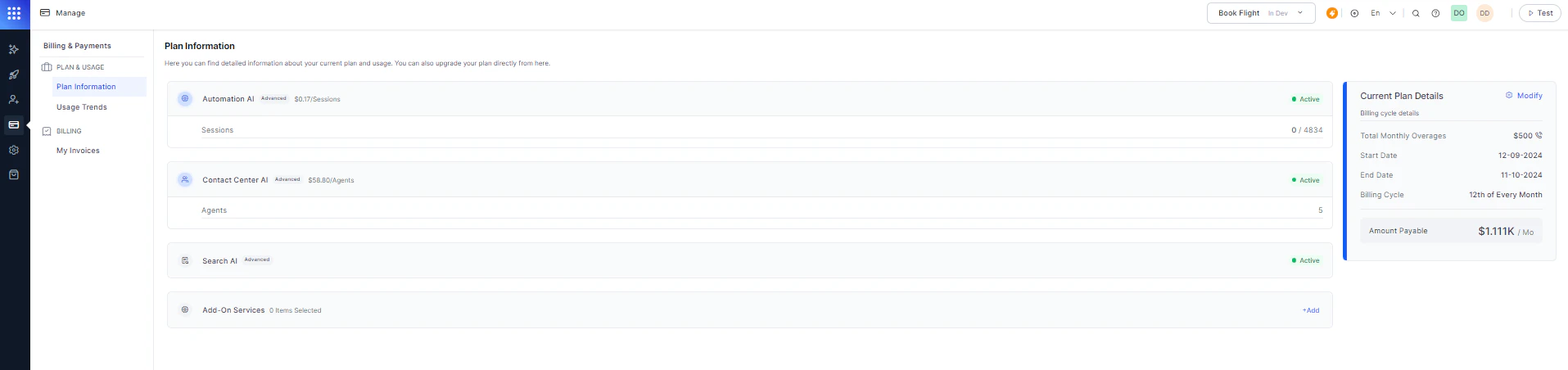
Usage Trends
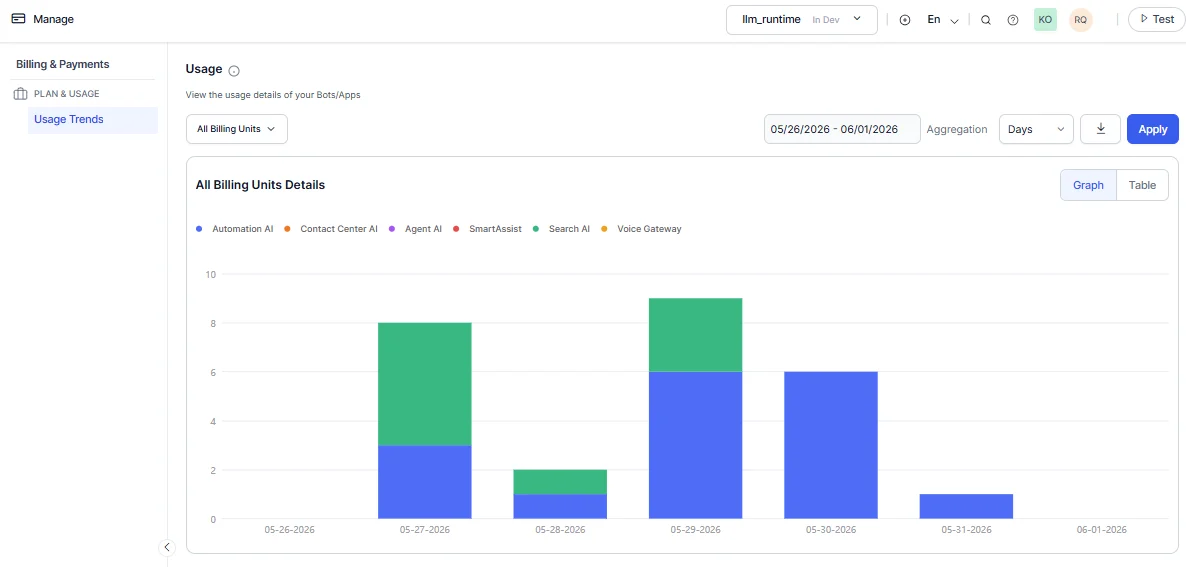
The Usage Trends dashboard provides a consolidated view of billing data across all your apps, such as Automation AI, Contact Center AI, Agent AI, Search AI, SmartAssist, and Voice Gateway. Filtering options:- Filter by individual app.
- Select a predefined range: 24 hours, 7 days, 30 days, or 90 days.
- Set a custom date range.
Subscribe or Modify a Plan
New subscriptions are not supported.
- Navigate to Manage > Plan & Usage.
-
In Plan Information, click Subscribe (for a new plan) or Modify (to change your current plan).
.png?fit=max&auto=format&n=IKMIUklZ3ul6LqGz&q=85&s=03b2044211e71e00b4e08e7335a4a64e)
.png?fit=max&auto=format&n=IKMIUklZ3ul6LqGz&q=85&s=8e5acf38a91e0872983441dbb0d34d87)
-
Select a plan and click Proceed and Modify.
.png?fit=max&auto=format&n=IKMIUklZ3ul6LqGz&q=85&s=d6db69f0f82ef0815d082e52ca88db30)
- Enter your Billing Information, select a Payment Method, and enter payment details.
-
Click SUBMIT ORDER.
.png?fit=max&auto=format&n=IKMIUklZ3ul6LqGz&q=85&s=a02a8ed7ae7cc057aad690048181d0b9)
Deployment Flow
The following rules govern app deployment approvals in a Standard Workspace.Invoices
Invoices are available for Standard Accounts only (subscriptions to Usage Plans and Support Plans). Enterprise Account invoices aren’t displayed.View Invoices
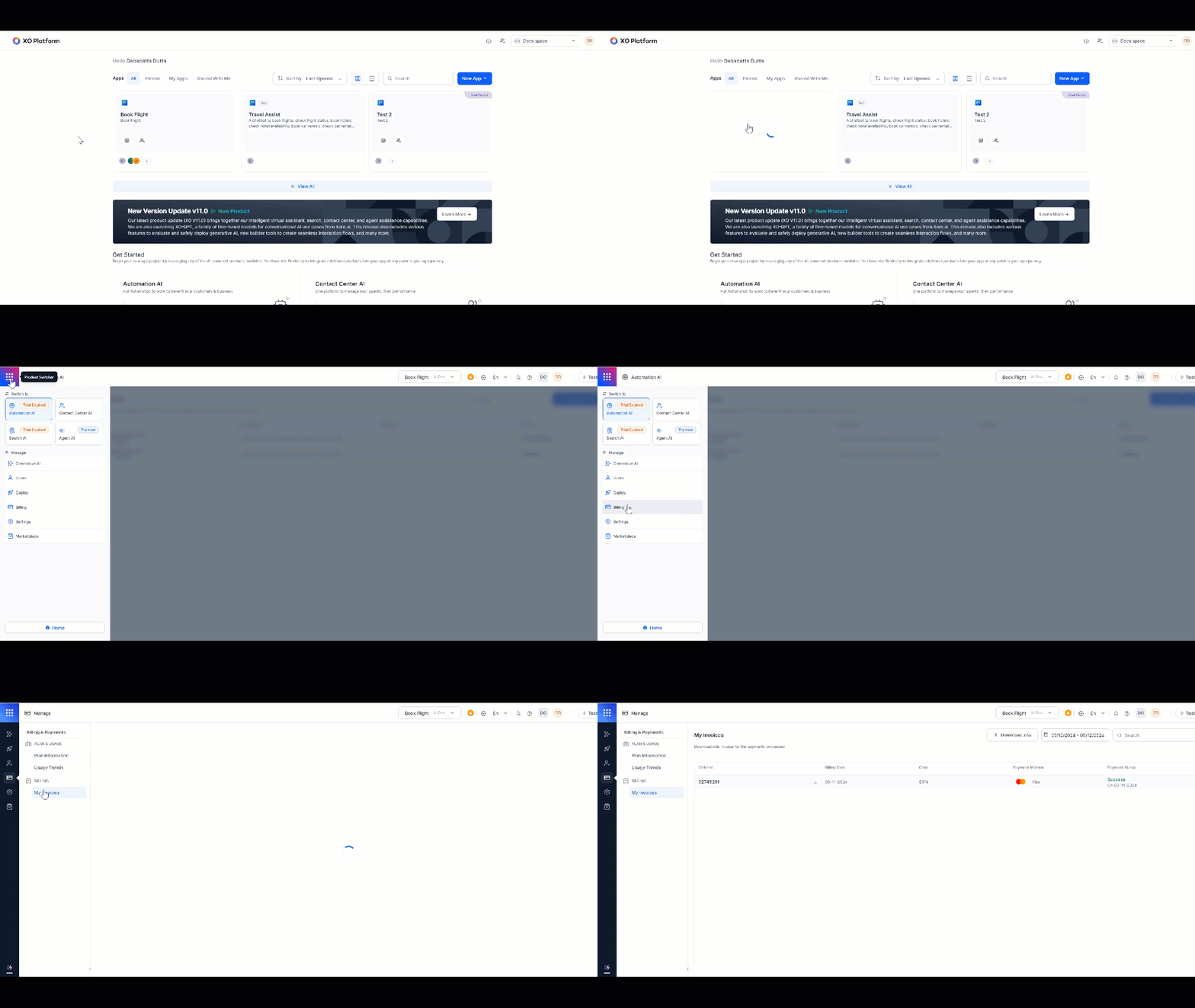
- Log in to the Platform and select the app for which you need the invoice.
-
Navigate to Product Switcher > Billing > Manage > My Invoices.
-
Invoices are listed in chronological order with the following fields:
- Order ID
- Billing Date
- Cost
- Payment Method
- Payment Status
-
Select the Download icon to download an invoice as a PDF. You can also export the billing report as a
.csvfile.