

Connect the Platform to BambooHR to create, view, and update employees, manage time off requests, and update request statuses. See BambooHR documentation for details.
Supported Authorization Types
The platform supports Basic Auth for BambooHR integration. See App Authorization Overview for details.Prerequisites
Before enabling the BambooHR action:- Create a BambooHR developer account.
- Copy the user sub domain and API key values.
Step 1: Enable the BambooHR Action
Go to App Settings > Integrations > Actions and select BambooHR.Pre-authorize the Integration (Basic Auth)
- Select BambooHR in the Available Actions region.
- In the Configurations dialog, select the Authorization tab.
-
Set Authorization Type to Pre-authorize the Integration > Basic Auth.
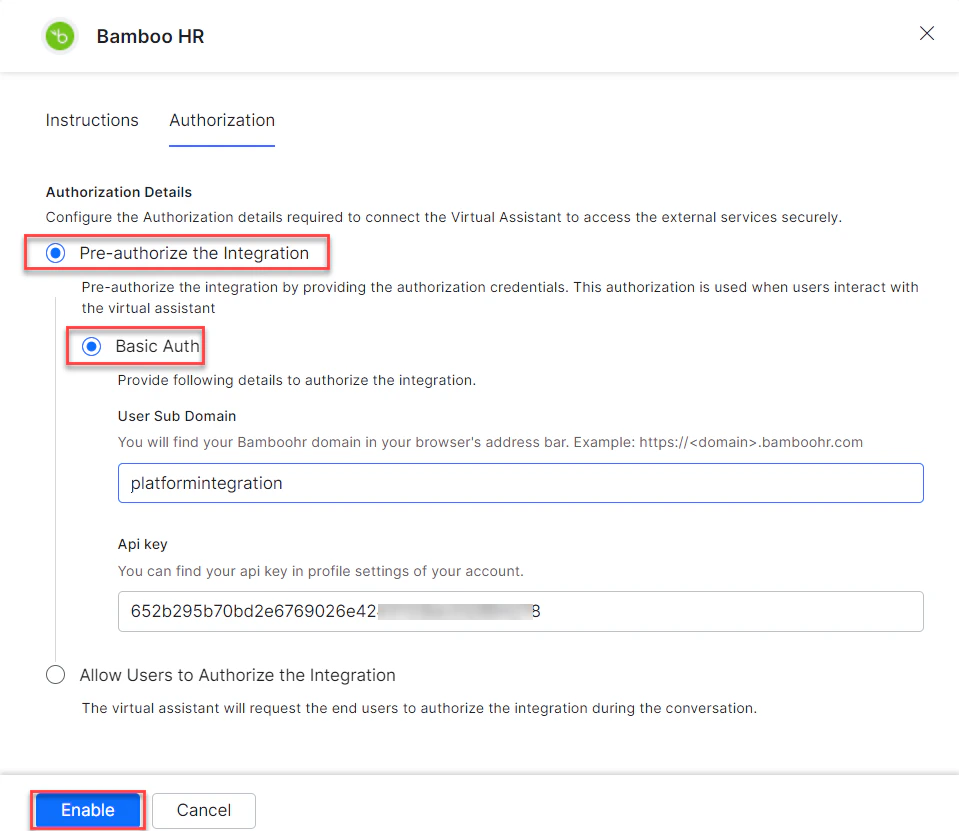
- Enter your API Key.
-
Click Enable. The Integration Successful pop-up appears on first configuration.
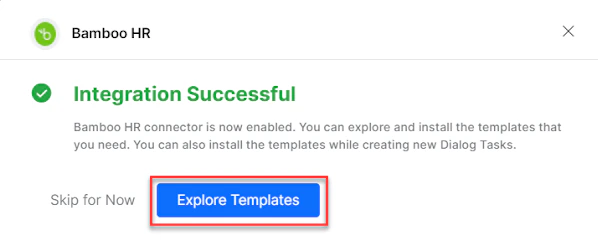
The BambooHR action moves from Available to Configured.
Allow End Users to Authorize (Basic Auth)
- Select BambooHR in the Available Actions region.
- In the Configurations dialog, select the Authorization tab.
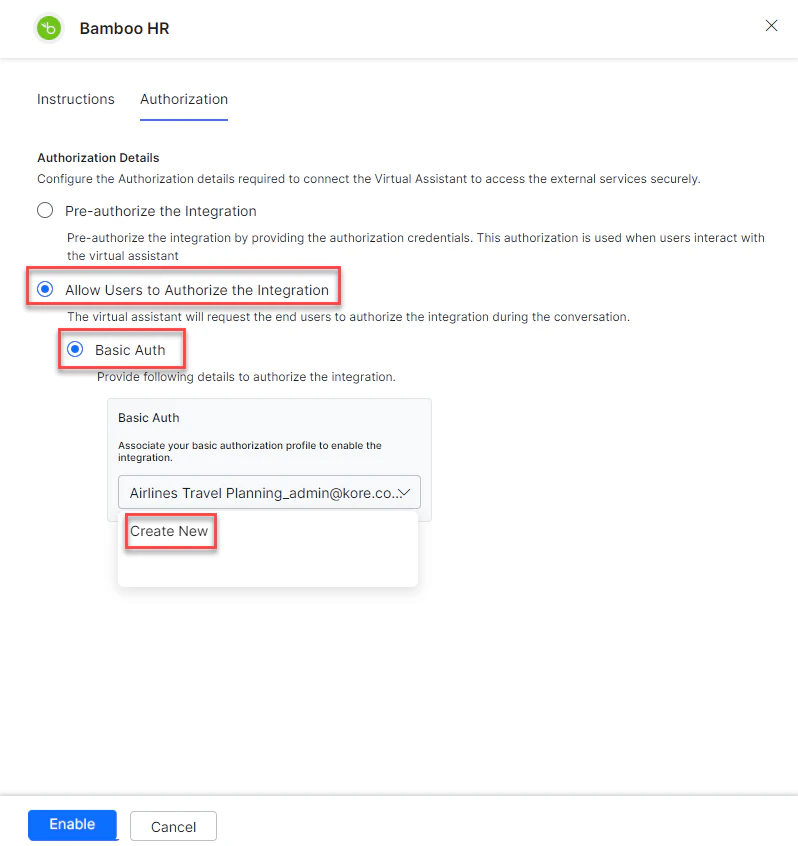
- Set Authorization Type to Allow Users to Authorize the Integration > Basic Auth.
-
Click Select Authorization > Create New.
-
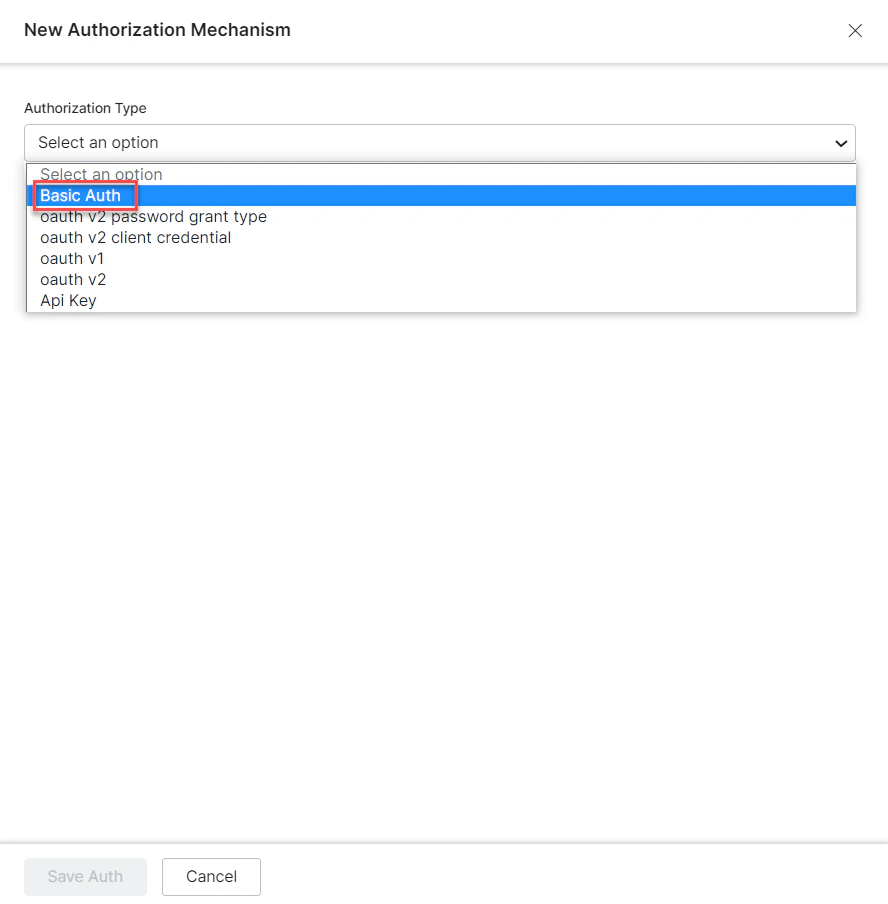
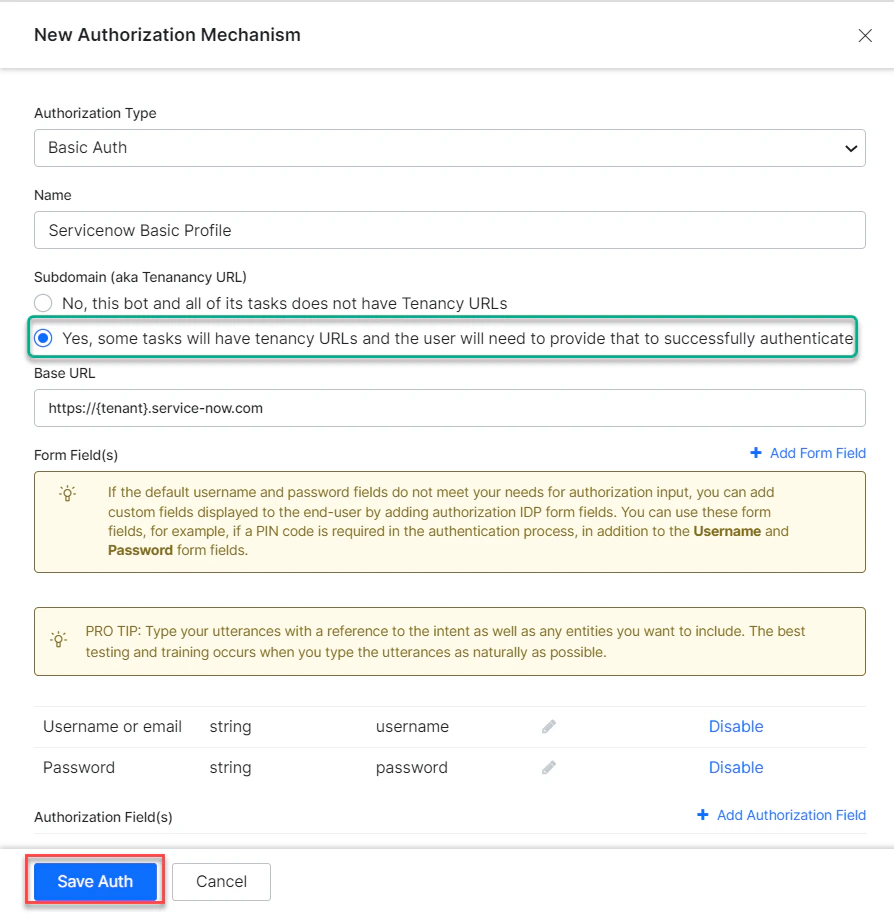
Select the authorization mechanism (for example, Basic Auth).
-
Enter the following credentials:
-
Click Save Auth, then select the new profile.
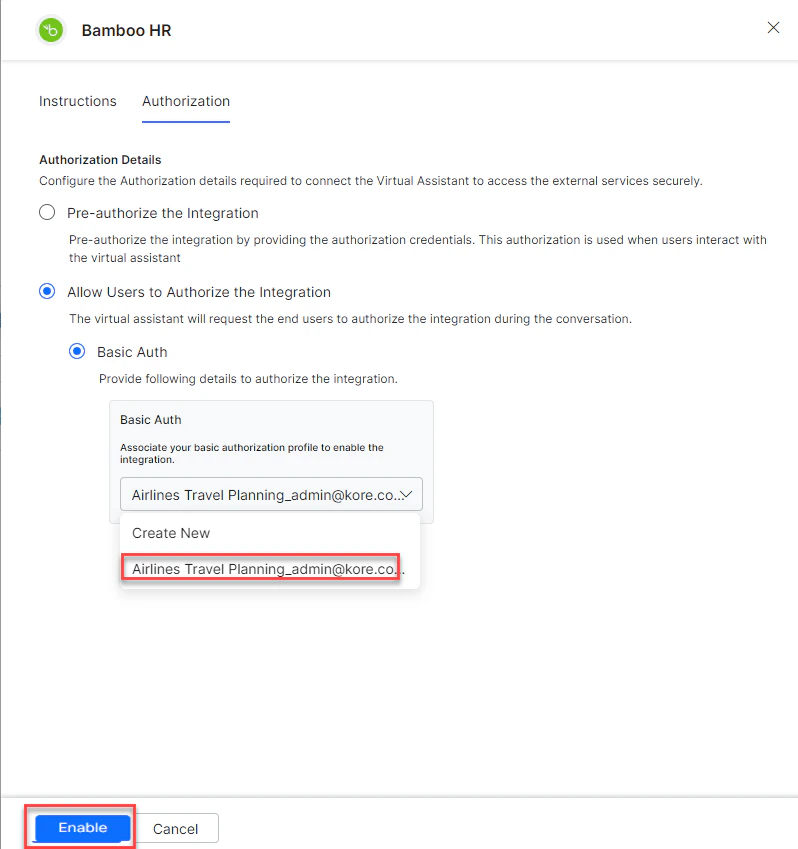
- Click Enable. The Integration Successful pop-up appears.
Step 2: Install BambooHR Action Templates
-
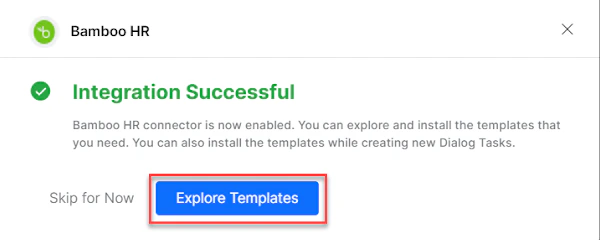
On the Integration Successful dialog, click Explore Templates.
-
Click Install for the desired template.
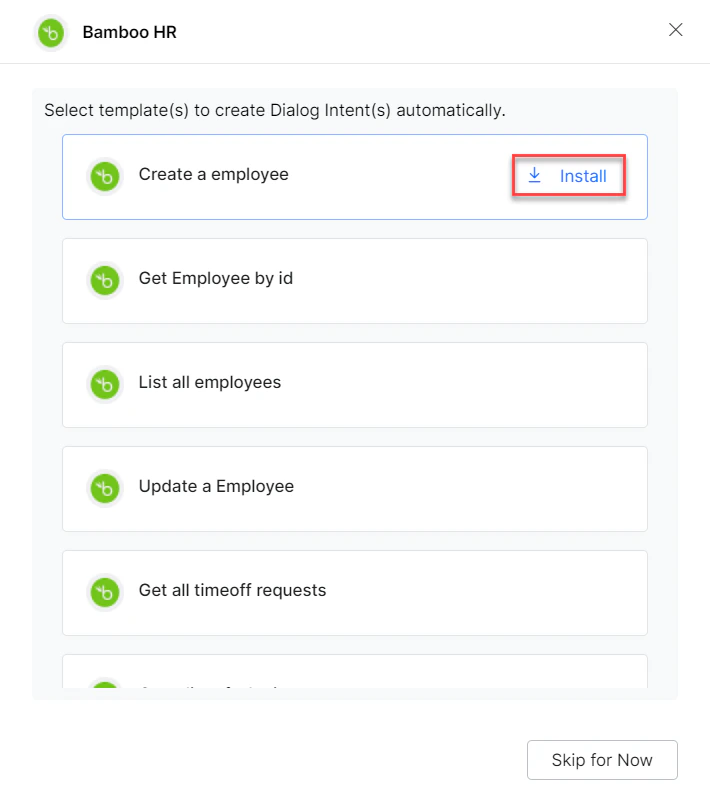
- The associated dialog task is auto-created. Click Go to Dialog or navigate to Automation AI > Use Cases > Dialogs.
- To use the templates, see Using BambooHR Action Templates.