

- The application triggers an Outbound Call.
- Receiving Call Status Notifications.
1. Triggering the Outbound Call via API
The application triggers an outbound call using an HTTP POST request to the endpoint.Path Parameters
Body Parameters
Timers Configuration
Outbound Calling API Sample Request
Outbound Calling API Sample Response
2. Receiving Call Status Notifications
To receive call status notifications, we can use the ‘notifyUrl’ property on the dial-out request. When this property is set, the Voice Gateway sends an HTTP POST request to the specified URL. Previously, the API supported notifications only for two call events: Answered-Completed or Failed. Now, we’ve expanded this to include all Answering Machine Detection (AMD) events during the call progress.- By default, all AMD events (for example,
amd_machine_detected,amd_machine_stopped_speaking,amd_stopped, etc.) are sent automatically. - To avoid receiving all AMD events, you can opt out by setting
amdEventsSubscription: []in the Dialout API payload.
NotifyURL Sample Response
notifyHeaders
- You can now include notifyHeaders in the API payload. These custom headers will be passed along with the AMD notifications to the specified notifyUrl.
- This enhancement provides flexibility to send additional metadata or authentication information with your callbacks.
- Example Headers List (including both default and notifyHeaders)
- Accept: /
- Accept-Encoding: br, gzip, deflate
- Accept-Language: *
- Authorization: Basic a29yZS5haTp6dkw3JDckaUJxSjQyxxxx
- Content-Length: 1495
- Content-Type: application/json
- Host: reptile-fitting-wolf.ngrok-free.app
- SAVG-Signature: t=1750947610,v1=2bdbc3c37371dcd9cf62ef637624a4e7eff42ebeb4e5c100c83b7146422bxxxx
- Sec-Fetch-Mode: cors
- User-Agent: node
- X-Forwarded-For: 23.21.52.56
- X-Forwarded-Host: reptile-fitting-wolf.ngrok-free.app
- X-Forwarded-Proto: https
Response Body Parameters
3. Accessing AMD Values Using Context Variables
These values will be available in the context and can help design more effective bot flows based on call behavior during Answering Machine Detection. You can access them using:-
context.session.UserSession.amdInfo- Contains the following values (some may be optional or unavailable)
amdEvents(all AMD-related events)amdGreeting(amd_machine_detected related message)amdReason(reason for amd_machine_detected)amdRingDurationInMs(difference between call-in-progress and ringing/early-media)amdConnectDurationInMs(difference between call-in-progress and trying)
- Contains the following values (some may be optional or unavailable)
-
context.session.UserSession.amd- Contains the following values (some may be optional or unavailable)
amd_human_detected: A human is speaking.amd_machine_detected: A machine is speaking.amd_no_speech_detected: No speech was detected.amd_decision_timeout: No decision was made in the time given.amd_machine_stopped_speaking: A machine has completed the greeting.amd_tone_detected: A beep was detected.amd_error: An error has occurred.amd_stopped: Answering machine detection was stopped.
- Contains the following values (some may be optional or unavailable)
4. Interaction Status Logs
Machine Detection Flag- When the machineDetection parameter is set to disconnect, and the system detects a machine using either
amd_machine_detectedoramd_tone_detected, the call will be marked asmachineDetectedin the Interactions page under the Status column.\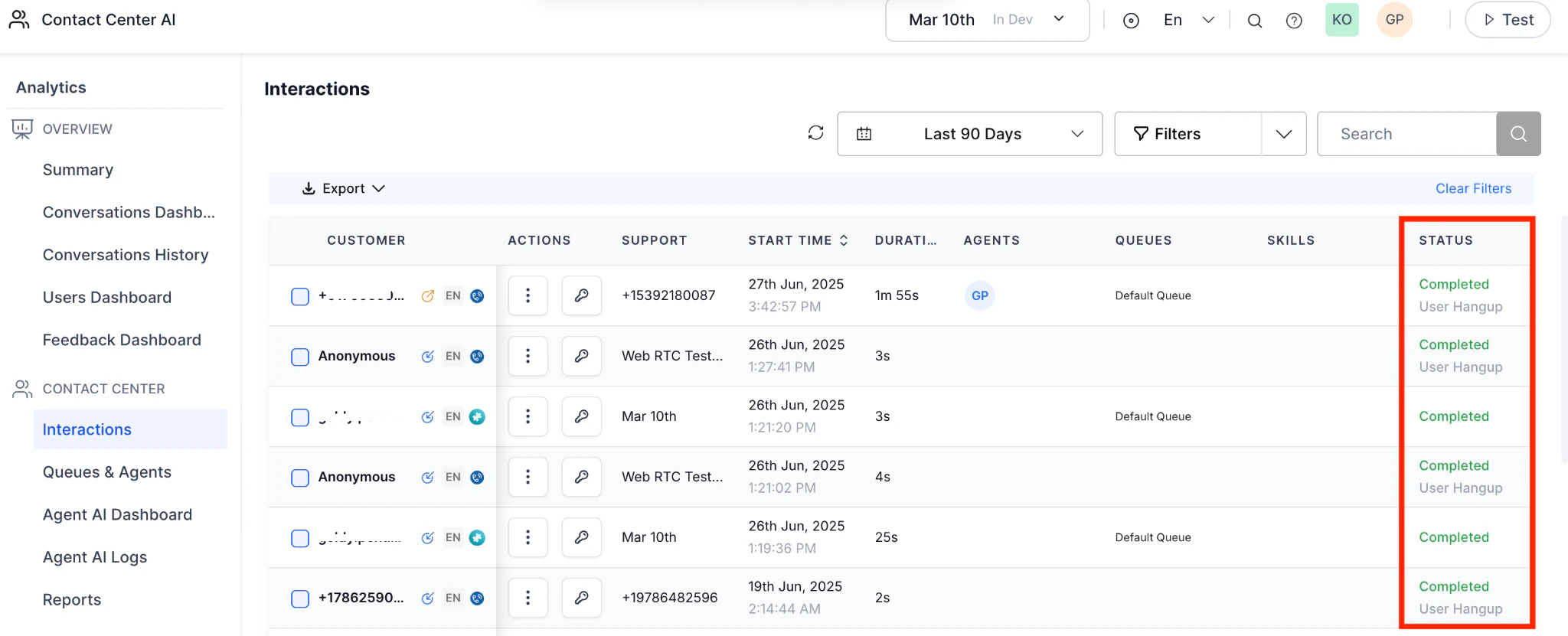
- This helps you easily identify and track calls that were disconnected due to machine detection.