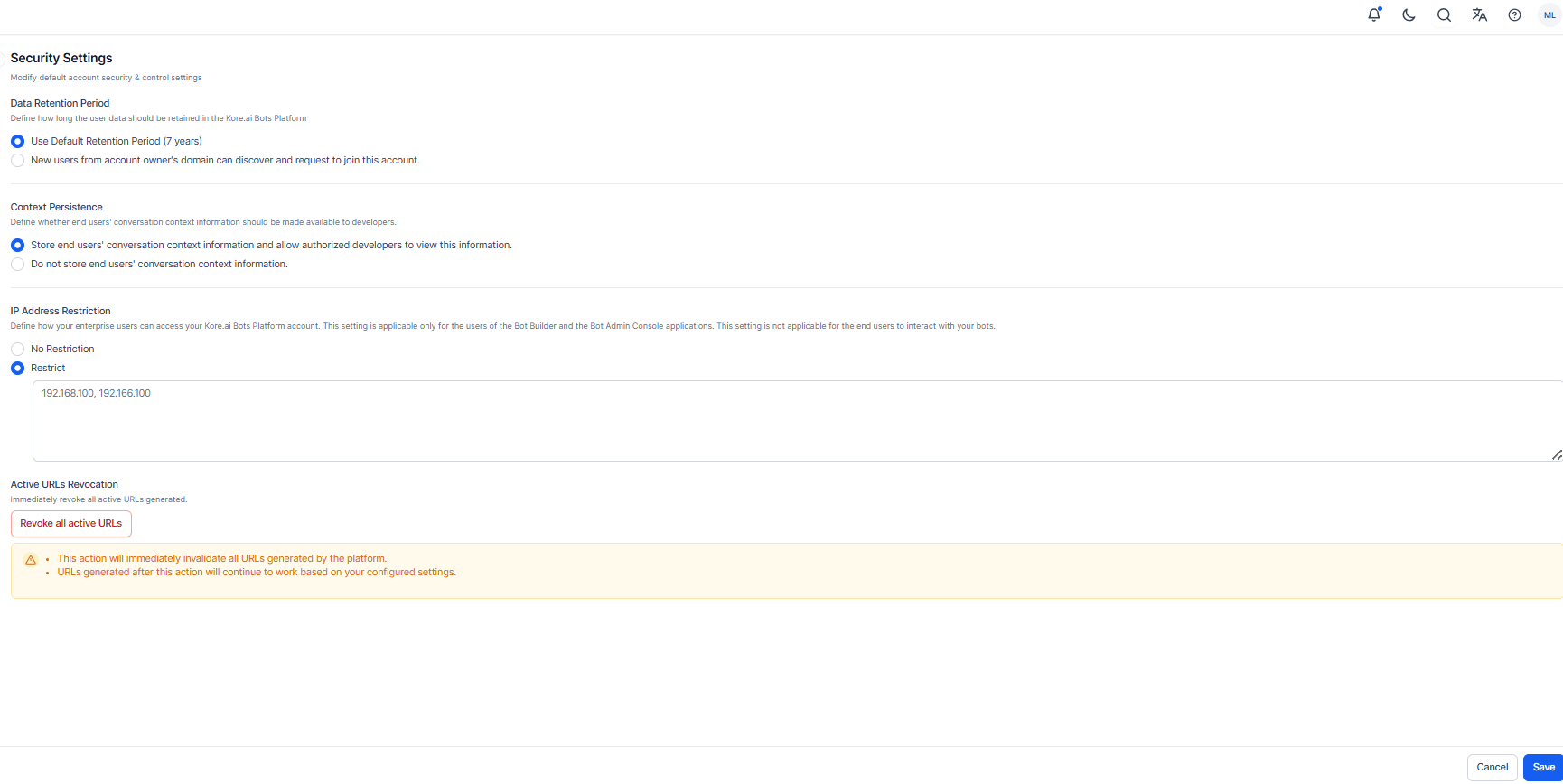
- Data retention period
- Context persistence
- IP address restriction
- Active URLs Revocation
Data Retention
End-user interaction data is retained according to Kore.ai’s data retention policy:- Standard Accounts/Workspaces: Data is retained for up to 7 years and may be revised periodically.
- Enterprise Accounts: Data is retained for 7 years by default. Enterprises can customize the retention period based on internal policies.
- Use the default retention period (7 years)
- Set a custom retention period (between 1 month and 7 years)
- Conversation History / Messages
- Usage Information
- Task Execution and Performance Metrics
- Session and Message Tags
- Alert Instances
- Debug Logs
The custom data retention period can’t be set if your account has a large volume of messages. In such a case, you are requested to reach out to Kore.ai Support for setting Custom Retention Period.
Context Persistence
By default, AI for Service stores the context of the end-users’ conversations with the assistant. This context information can be used for debugging and analysis purposes. If your organization handles sensitive or confidential information, you can disable this feature to enhance data privacy. Available Options- Store end users’ conversation context information and allow authorized developers to view this information – this is the default setting.
-
Don’t store end users’ conversation context information – this ensures that:
- AI for Service doesn’t store the context information.
- Option to view context information in the AI for Service Platform, like Metrics and any other places, is disabled.
IP Address Restriction
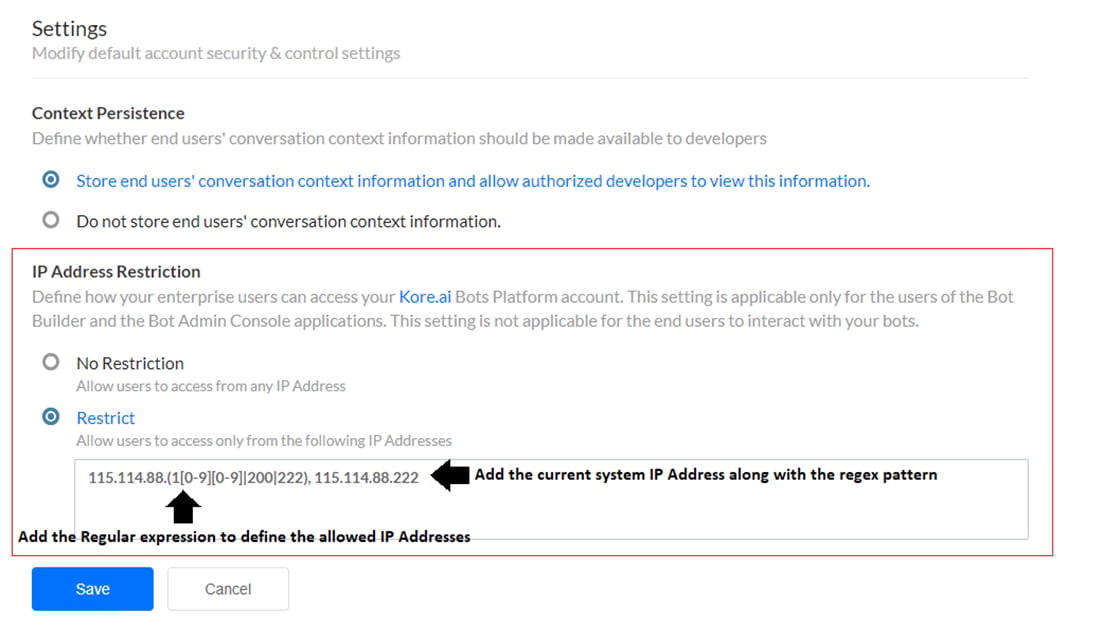
By default, users can access AI for Service, and the Admin Console from any IP address, as long as they have valid credentials. Additionally, you can restrict access to a specified range of IP addresses. When you specify a list of IP addresses in the IP Address Restriction section, users within your account attempting to access the Platform from any other IP addresses is restricted. The AI for Service enables you to use a Regular Expression (Regex) pattern to define the list of IP addresses, eliminating errors, and the need to add each IP address individually. Learn more about IP address Regex patterns. Examples of IP address patterns157.47.6[0-9].5[0-4]115.114.88.(1[0-9][0-9]|200|222)1[3-5]7.47.6[0-9]1\d7.4[1-7].6[0-9]
- No restriction – This is the default selection that doesn’t restrict access to any IP address.
- Restrict – This selection allows you to define the list of allowed IP addresses. You must add a Regex to automatically determine the allowed IP Addresses.
* Your current IP Address should be part of the allowed IP Addresses list. Even if the IP address of your current system is a part of the Regex pattern, it’s added separately after the regex pattern in the Restrict text field following a comma separator. For example: 115.114.88.(1[0-9][0-9]|200|222), 115.114.88.222.
Active URLs Revocation
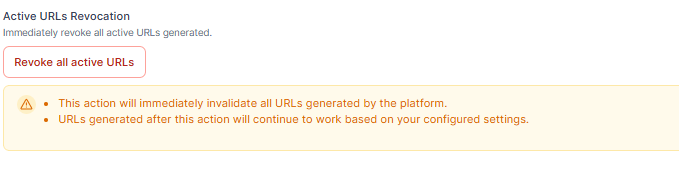
This section provides an emergency security control to immediately invalidate all active secure URLs generated by the app. Click Revoke All Active URLs to instantly revoke all existing chat history and attachment URLs generated up to that point, regardless of where or how they’re being used (agent transfer, portals, or integrations). Any link generated after the revocation will be valid without any disruption ⚠️ Warning: This action can’t be undone. Use only when an immediate revoke is required. There could be a disruption to ongoing work/flows with a dependency on these URLs.