

Billing Sessions
The Billing sessions are calculated based on-
App Usage (Usage Session)
- A usage session is defined as ‘Fifteen minutes’ of user conversation with the app. For example, if a user converses with the app for 31 minutes, then it would be counted as 3 sessions (0-15, 16-30,31-End).
- In the case of Human-agent transfer, if the user-app interaction results in human agent transfer, the time spent with the human agent will be excluded from the app session.
-
Alerts Delivered (Alert Session)
- Every alert delivered to a user will be counted as an Alert session. For example, if the user has set up to receive a sales report every 8 hours in a day, this user would consume 3 alert sessions.
Order Invoices
This section displays the history of Orders and Invoices and includes the fields as shown in the image: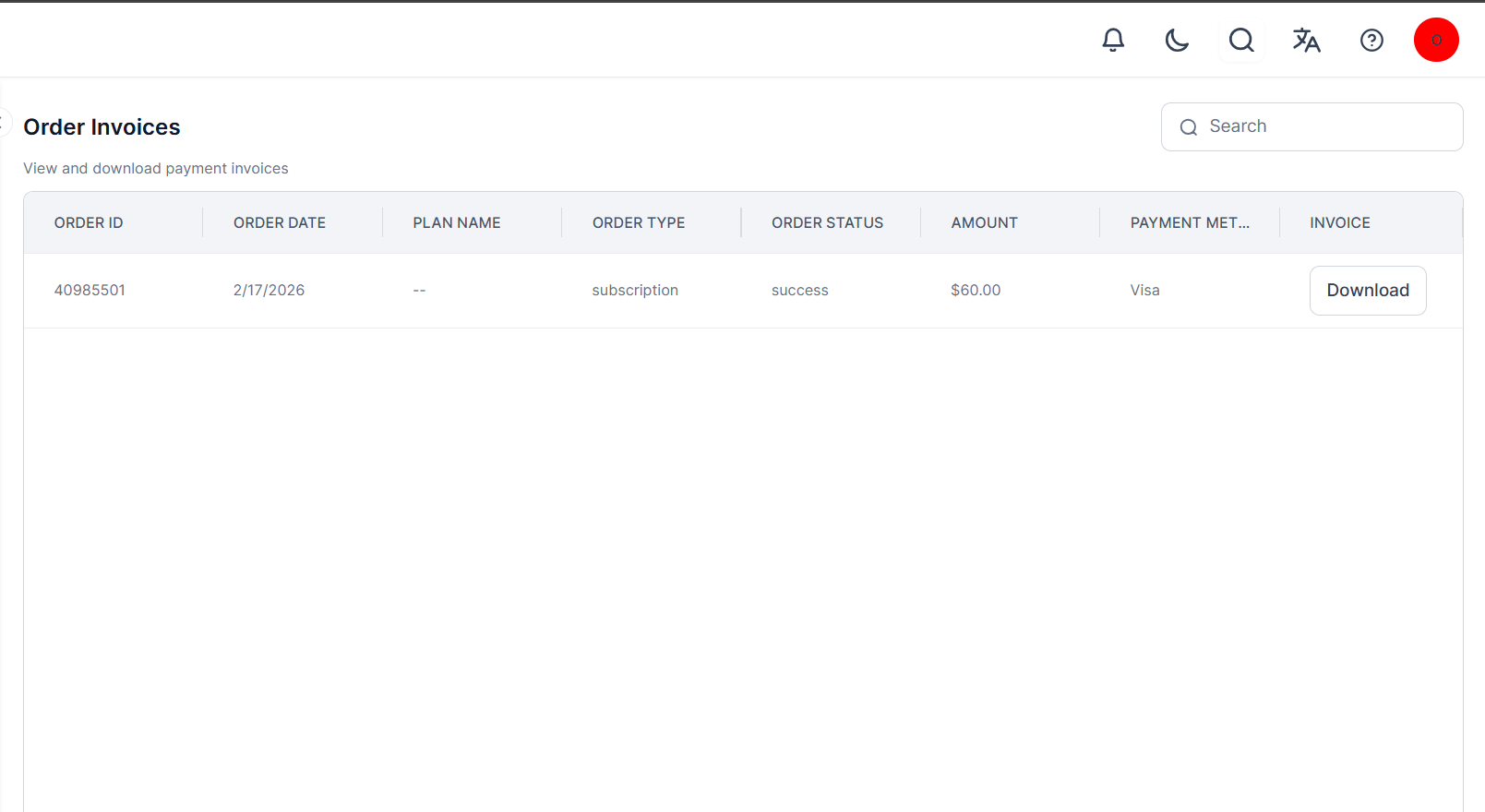
This section isn’t available for customers under the Enterprise plan.
Plan
Admin users can view and manage all plan subscriptions for their account and published apps on the Admin Console. The Plan section displays all the Apps in your account, along with their status and balance. An information icon highlights plan changes, such as downgrade notifications and expiring plans. Click the Ellipses icon to change the App Owner.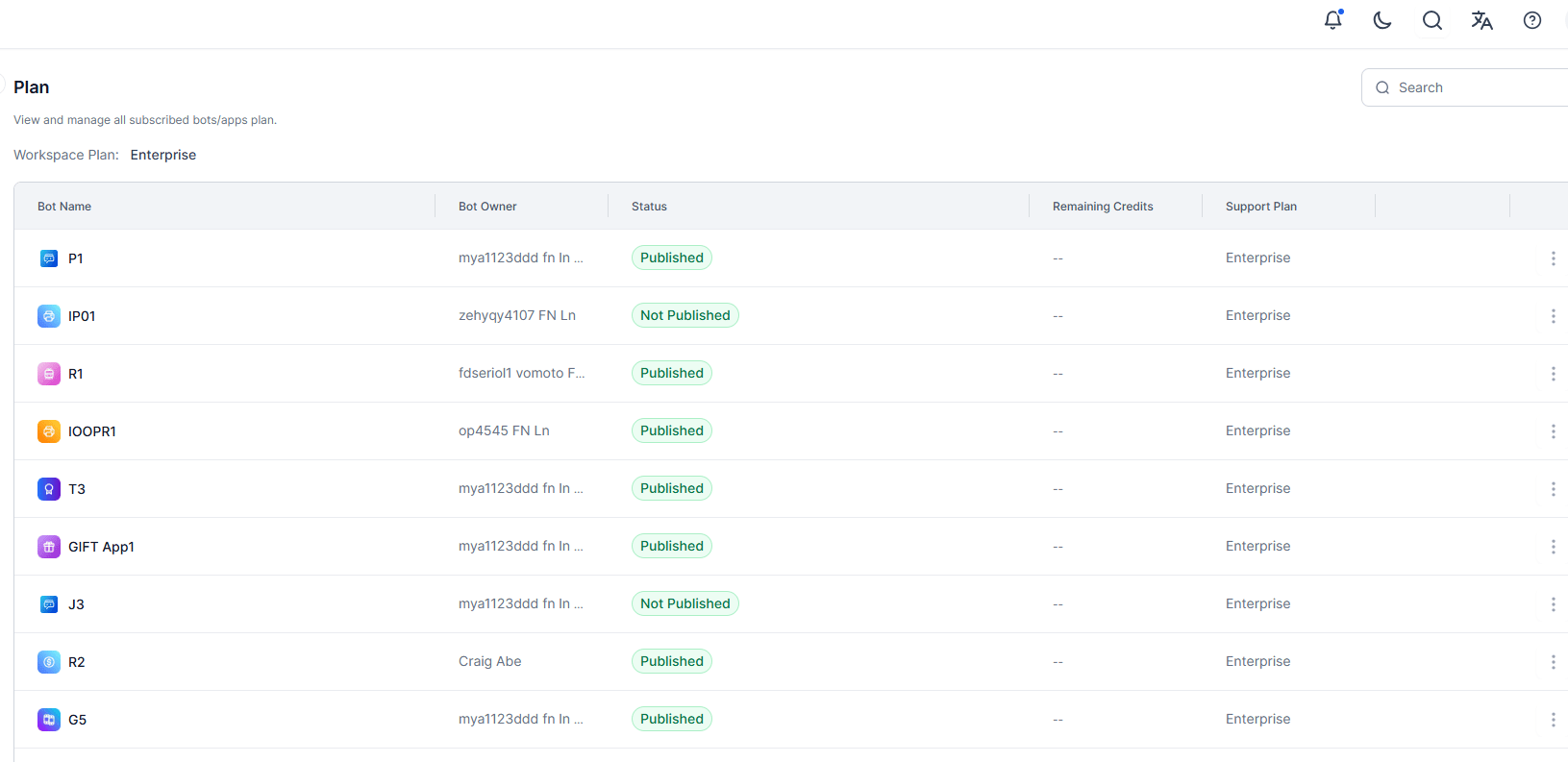
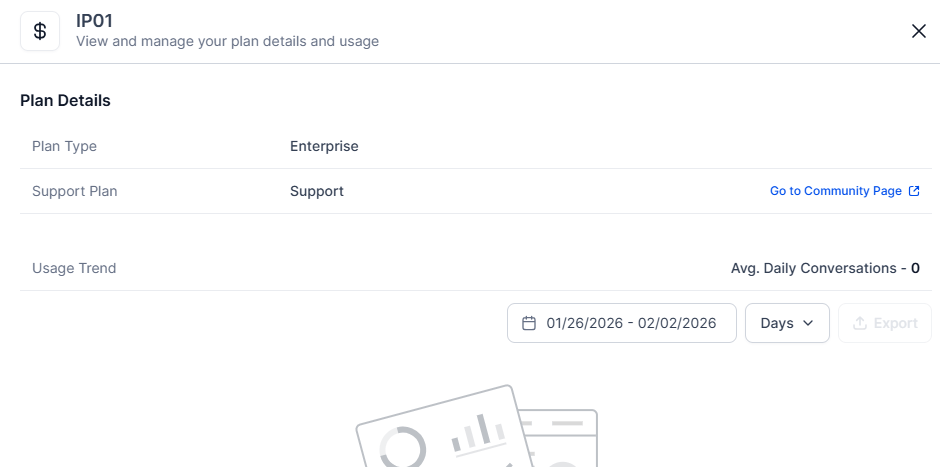
The Billing > Plan option doesn’t appear on the Admin Console (left menu) for a shared account user.
Usage
Admin users can access detailed usage information for Apps directly in the Admin Console. For administrators managing multiple apps, it offers consolidated billing insights across all apps within a workspace.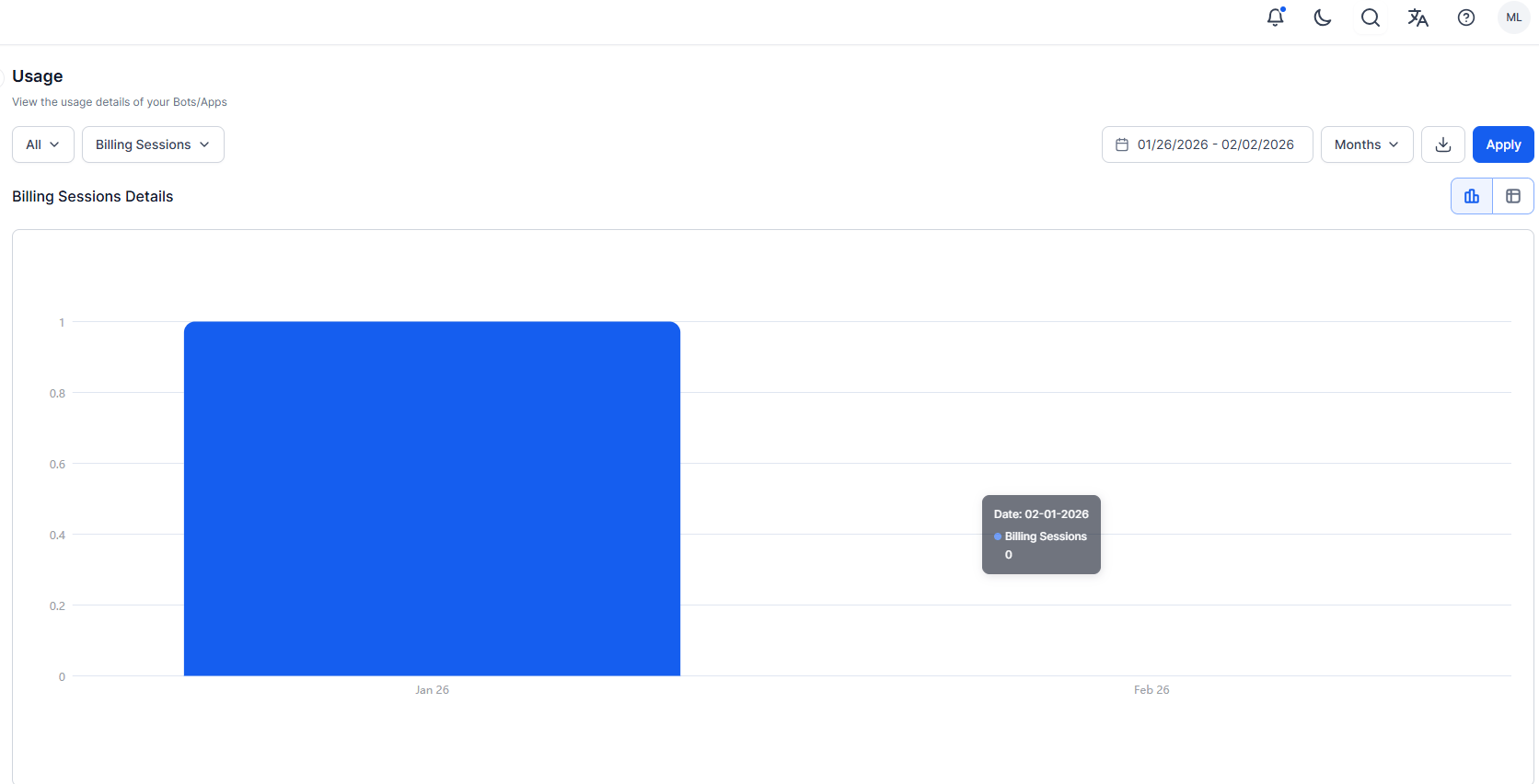
- Billing Sessions: Total number of completed sessions.
- Voice Sessions: The count of Voice Sessions in a conversation consumed in an App; calculated as every 15 minutes of interaction with the AI Agent or a human Agent.
- Agent Count: The count of agents subscribed to the plan for each app, aggregated by Day/Week/Month.