The Platform SDK lets you override default message formatting using templates and markdown. Use templates to render structured UI elements (buttons, carousels, charts) and markdown to style plain text.

Template Types

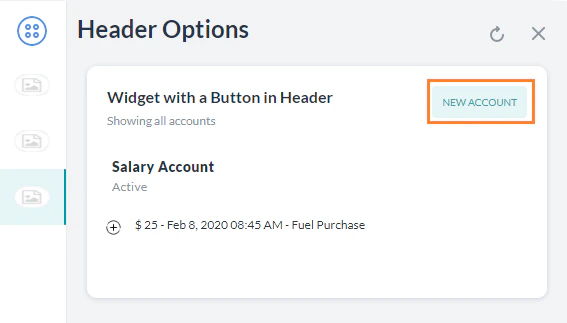
Button Template

Displays clickable buttons — either a URL (opens a webpage) or a postback (sends a payload to the Platform). Required parameters: text (up to 640 chars), buttons array
Button template

Quick Replies Template — Text

Displays a text message with clickable text choices. Required parameters: text (up to 640 chars), title per option
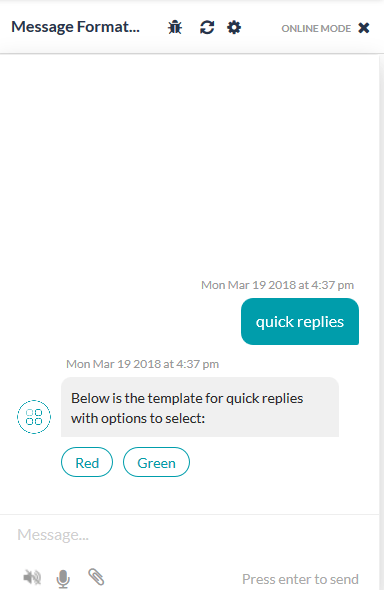
Quick Replies template

Quick Replies Template — Text and Image

Same as Quick Replies — Text, with an image_url added per option.

Feedback Survey Templates

Three survey templates are supported for the web/mobile client: NPS, CSAT, and Like/Dislike. These are available as generic templates in the channel template override section of the feedback survey configuration. NPS — 0-10 scale; color-coded icons; single selection only.
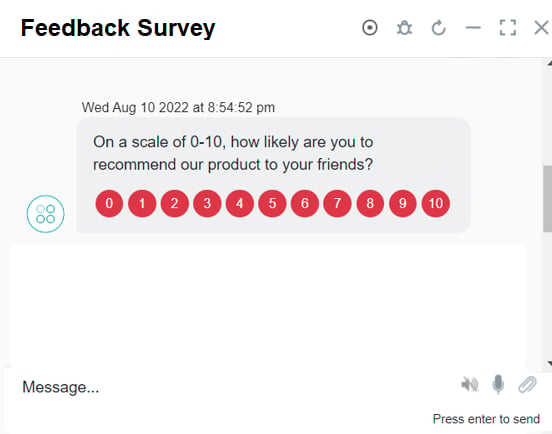
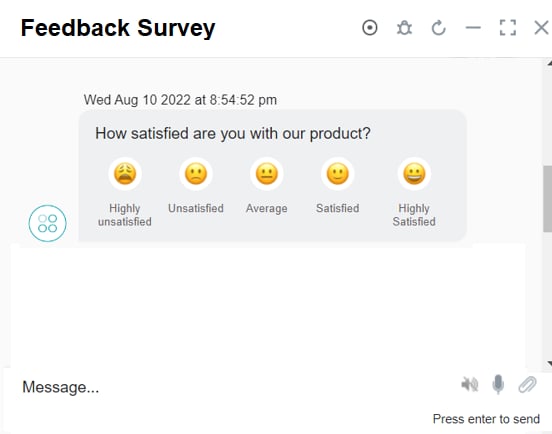
Feedback Survey template CSAT — Five smiley icons (Highly Unsatisfied → Highly Satisfied). Scores 1-3 trigger a follow-up question.
CSAT template Like/Dislike — Two icons (Like / Dislike). Dislike triggers a follow-up question.

List Template

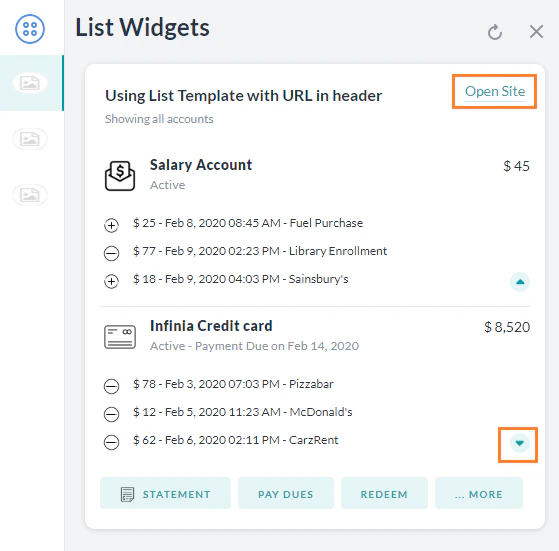
Displays a list of items with optional buttons. Limitations: max 4 elements, 1 optional button per element, 1 optional global button. Required parameters: elements (array), title per element
List template

Error Template

Displays validation, error, or warning messages with a colored background.
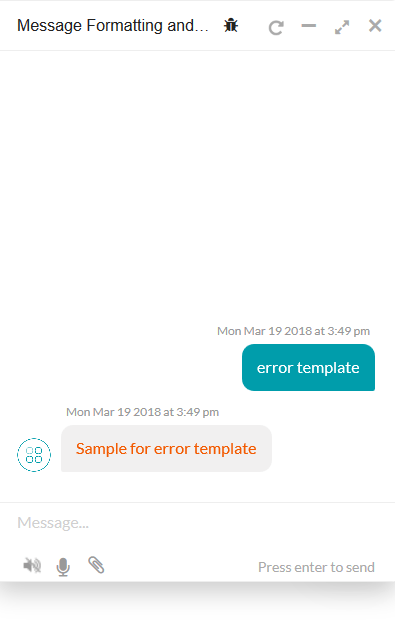
Error template

Attachment Template

Renders images, audio, or video from a URL. Supported formats:
TypeExtensions
Audiom4a, amr, wav, aac, mp3
Videomp4, mov, 3gp, flv
Imagepng, jpg, jpeg, gif
To display images, use the url field with the image URL.
Audio:
Image:
Video (play inline):

Text Template

Renders plain text using the Platform’s default formatting.

Horizontal scrollable card carousel. Each card has an image, description, and up to 3 buttons. Required parameters: elements array, each with title, image_url, and buttons
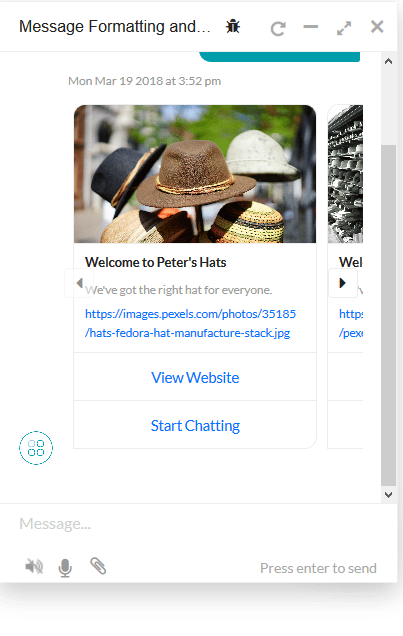
Carousel template

Chart Templates

Chart templates are supported only for the Web SDK, not the Mobile SDK.
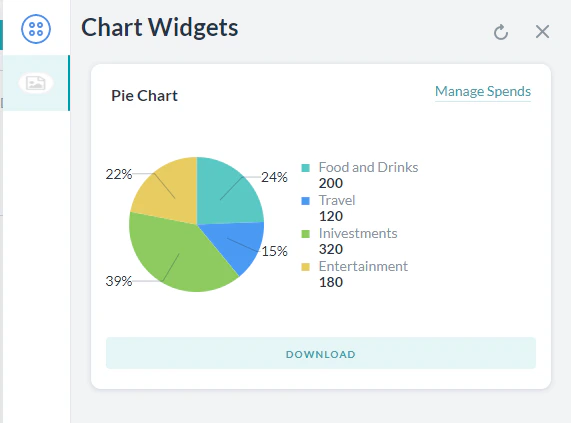
Pie Chart — Regular, donut, or donut with legend.
Pie chart template Line Chart — Required: template_type, X_axis, elements Bar Chart — Required: template_type, X_axis, elements. Supports vertical/horizontal, single/multi-series, stacked. Regular Table — Renders data in a regular or responsive table. Required: template_type, columns, elements. Mini Table — Renders row headers with column data as separate cards. Ideal for 3-4 columns and 4-5 rows.

BotKit SDK: Sending Templates

To send a template from BotKit, set isTemplate: true in the overrideMessagePayload:

Standard Markdown

Apply Platform markdown directly in JavaScript for text formatting:
FormatSyntaxExample
Bold*text*Here is *bold*.
Italic~text~ or _text_Here is ~italics~.
Link[text](url)[Kore.ai](https://kore.ai/)
Image![alt](url)![My image](https://...)
New line\n
Unordered list* item (space after *)
Ordered list1. item
Preformatted```text```
Indent>>>>Indented once
Double indent>>>>
Headings#h1, #h2, … #h6#h1Heading1
Horizontal rule___ (3 underscores)

Default Message Templates for Web SDK

When no custom template is defined, the Web SDK applies these defaults:
Message typeDefault template
Choice — 1-3 optionsButton Template
Choice — 4-10 optionsQuick Replies Template
Choice — >10 optionsQuick Replies Template; option 9 shows “Show more”
Button title >20 charsFirst 18 chars + ..; full title shown on click
ConfirmationQuick Replies with Yes / No
QuestionPlain text
ErrorText with red font, sent as attachment
WarningText with orange font, sent as attachment
ValidationText with yellow font, sent as attachment
Info / Statement / Greeting / Chit ChatPlain text

Custom Templates

Build your own templates beyond those listed above. Reference implementations are available in the Web SDK GitHub repo. Dropdown template:
Like-dislike template:
Multi-select template:
DatePicker template:
For customized JavaScript responses and channel-specific templates, see JavaScript Prompts or Responses.