

Create an App
-
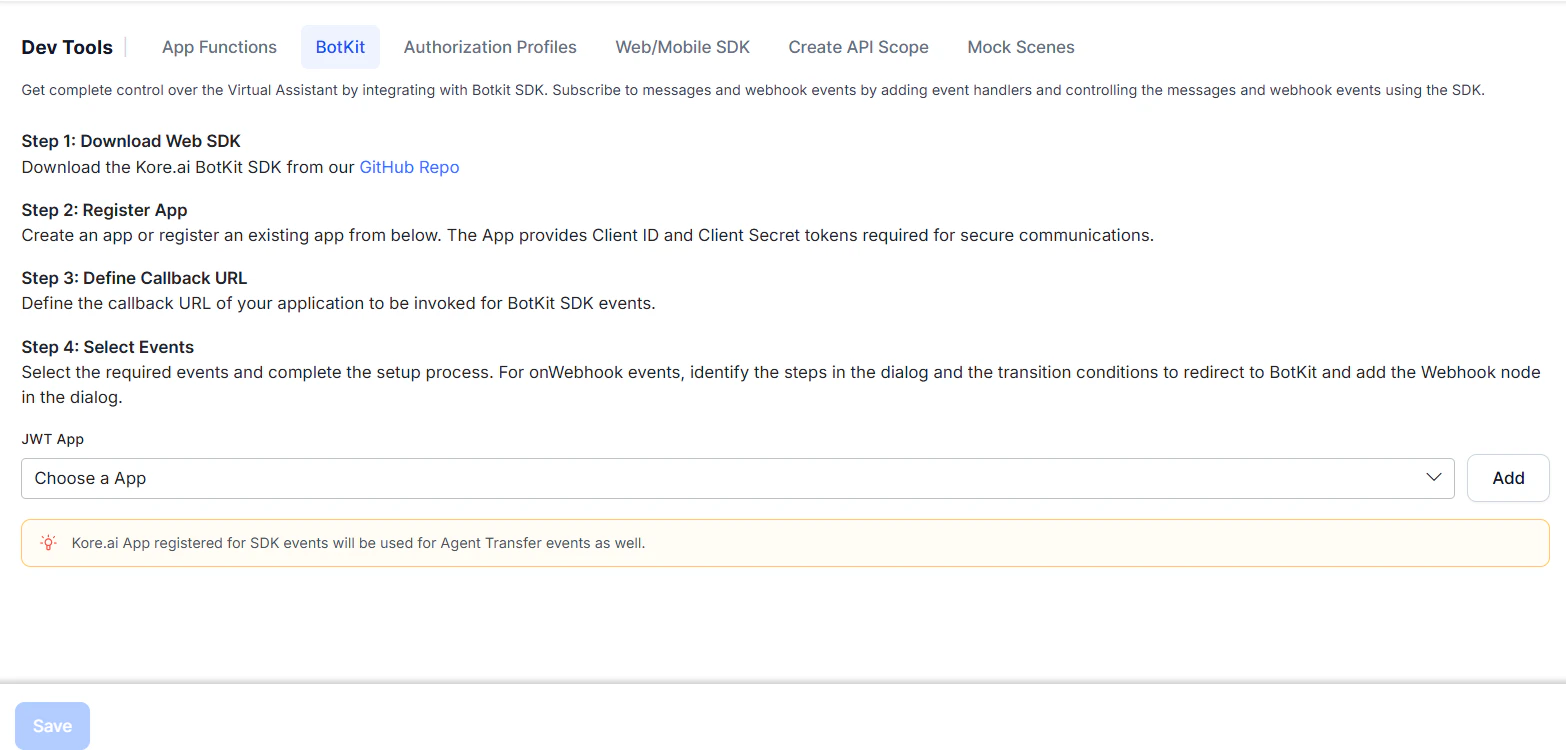
Go to Settings > Dev Tools > BotKit.
-
Next to the JWT App dropdown, click Add. The Create JWT App dialog opens.
- JWT App — Enter a name, for example,
TestApp. - JWT Signing Algorithm — Select
HS256orHS512(recommended), then click Next.
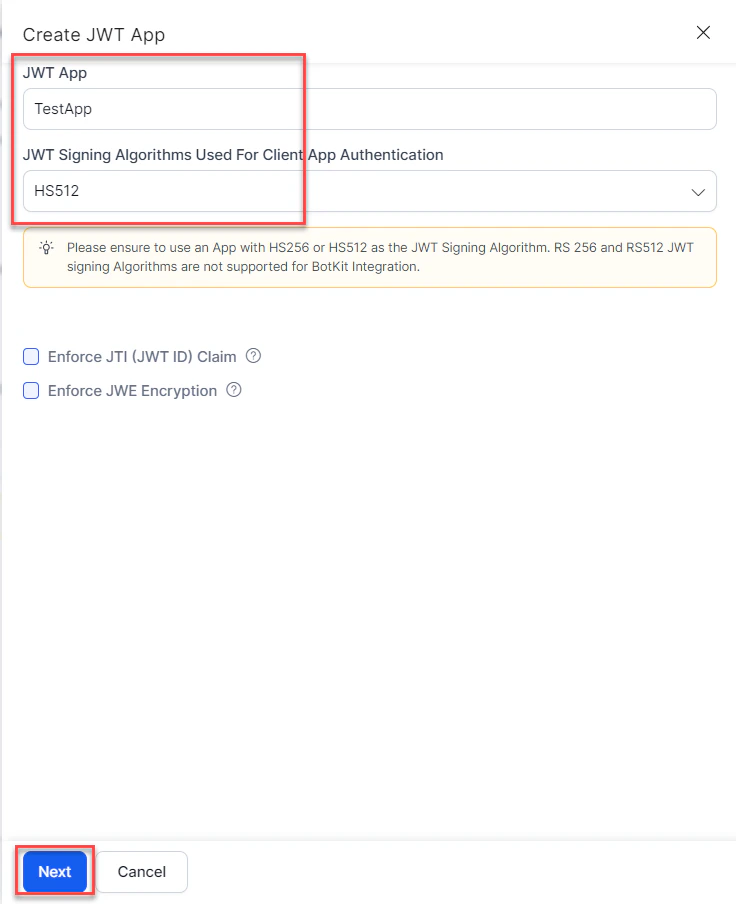
- JWT App — Enter a name, for example,
-
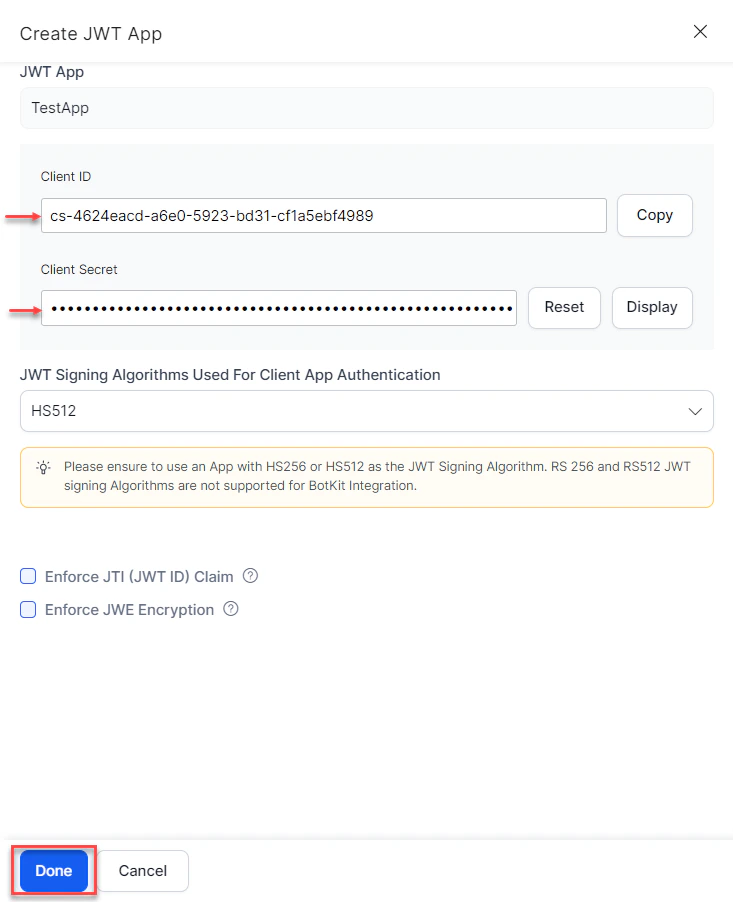
The App Created Successfully message appears with the Client ID and Client Secret. Click Done.
-
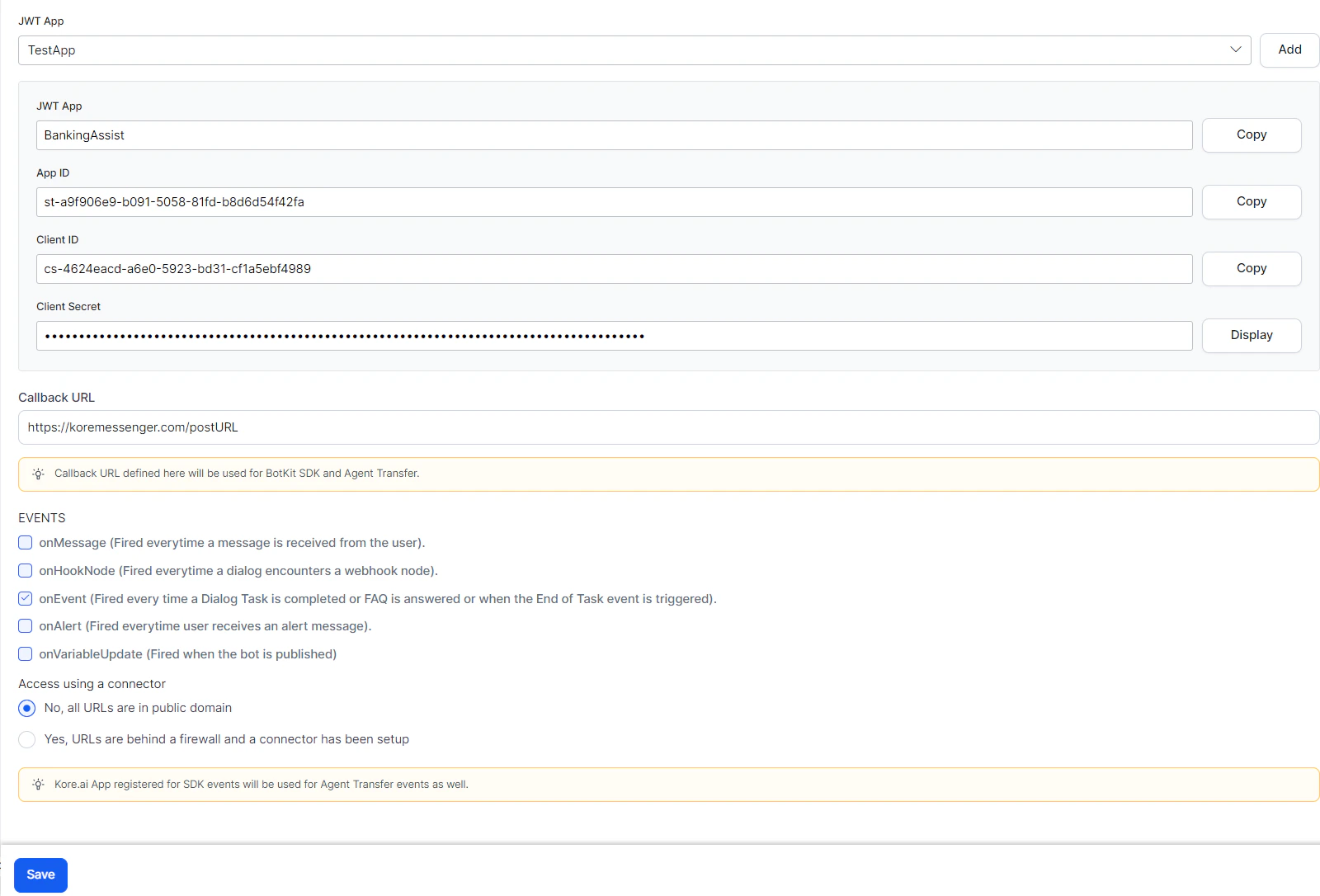
Complete the remaining fields:
-
Callback URL — The URL the Platform pushes events to. For example:
https://koremessenger.com/postURL. -
Events — Select one or more:
-
Callback URL — The URL the Platform pushes events to. For example:
- Click Save.