Key Capabilities
Use Cases
- Agent performance evaluation — assess individual agent compliance
- Team performance analysis — compare adherence rates across teams
- Process compliance auditing — verify critical service steps are followed
- Training gap identification — spot playbook steps agents consistently struggle with
- Quality score calculation — incorporate adherence into overall quality assessments
- Coaching opportunities — identify areas needing additional support
- Operational reporting — generate management reports on process compliance
Configure By Playbook Adherence Metric
- Navigate to Quality AI > Configure > Evaluation Forms > Evaluation Metrics.
- Select + New Evaluation Metric.
-
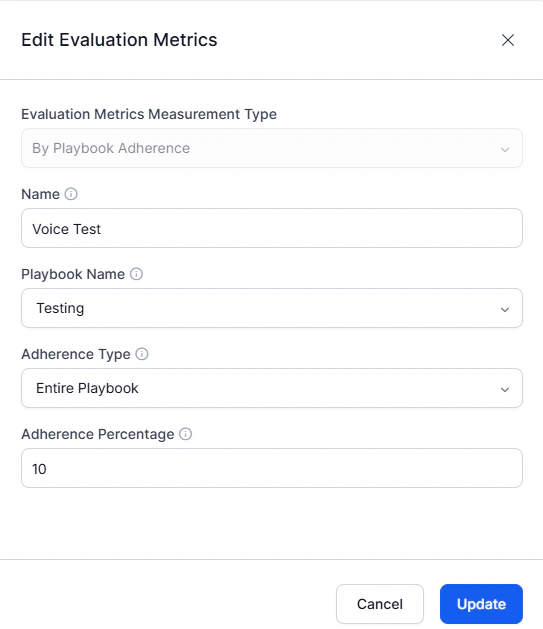
From the Evaluation Metrics Measurement Type dropdown, select By Playbook Adherence.
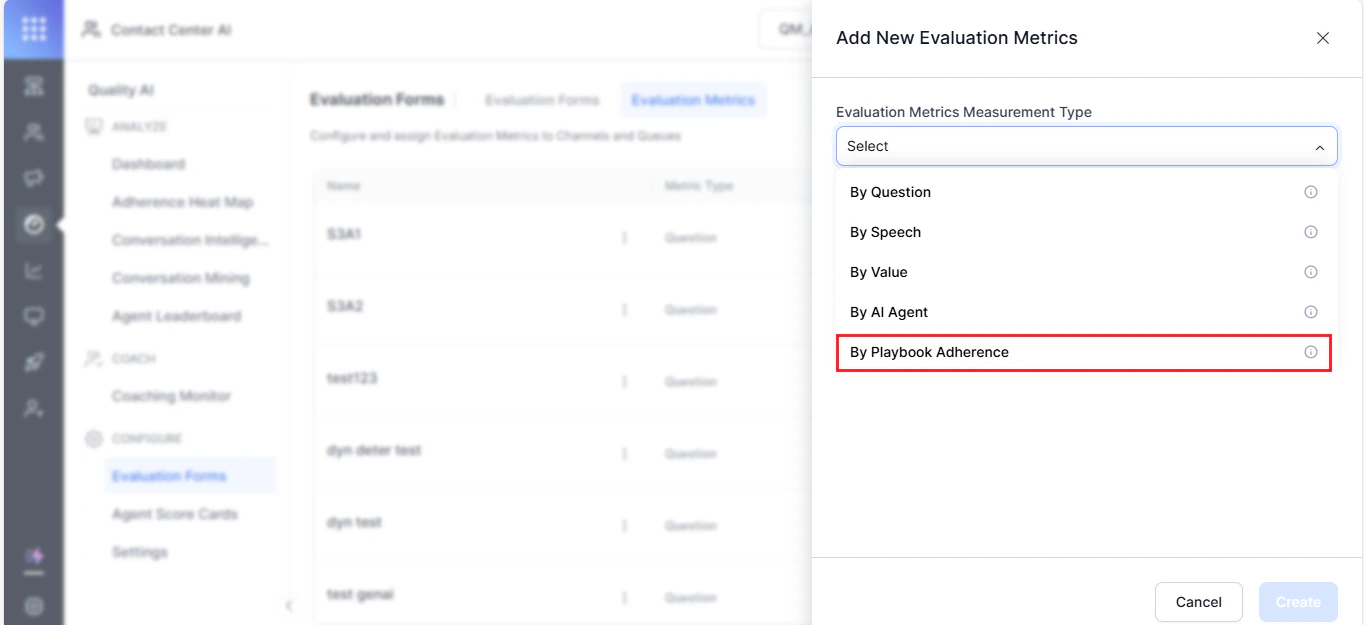
- Enter a descriptive Name for future audit reference.
-
Select a Playbook Name from the dropdown.

-
Select an Adherence Type:
Entire Playbook:
- Evaluates adherence across the complete playbook.
- Enter the minimum Adherence Percentage required. If adherence falls below this rate, the metric fails.
- Evaluates adherence to a specific step within the playbook.
- Select the Stage and Step for evaluation.
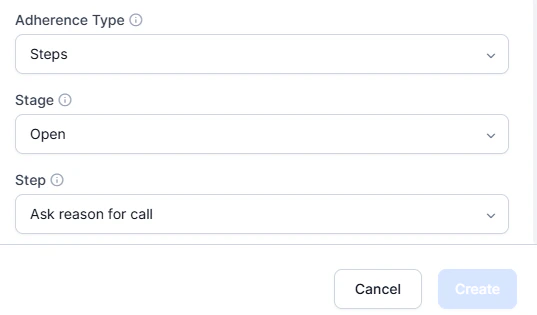
- Select Create.
Edit or Delete By Playbook Metric
-
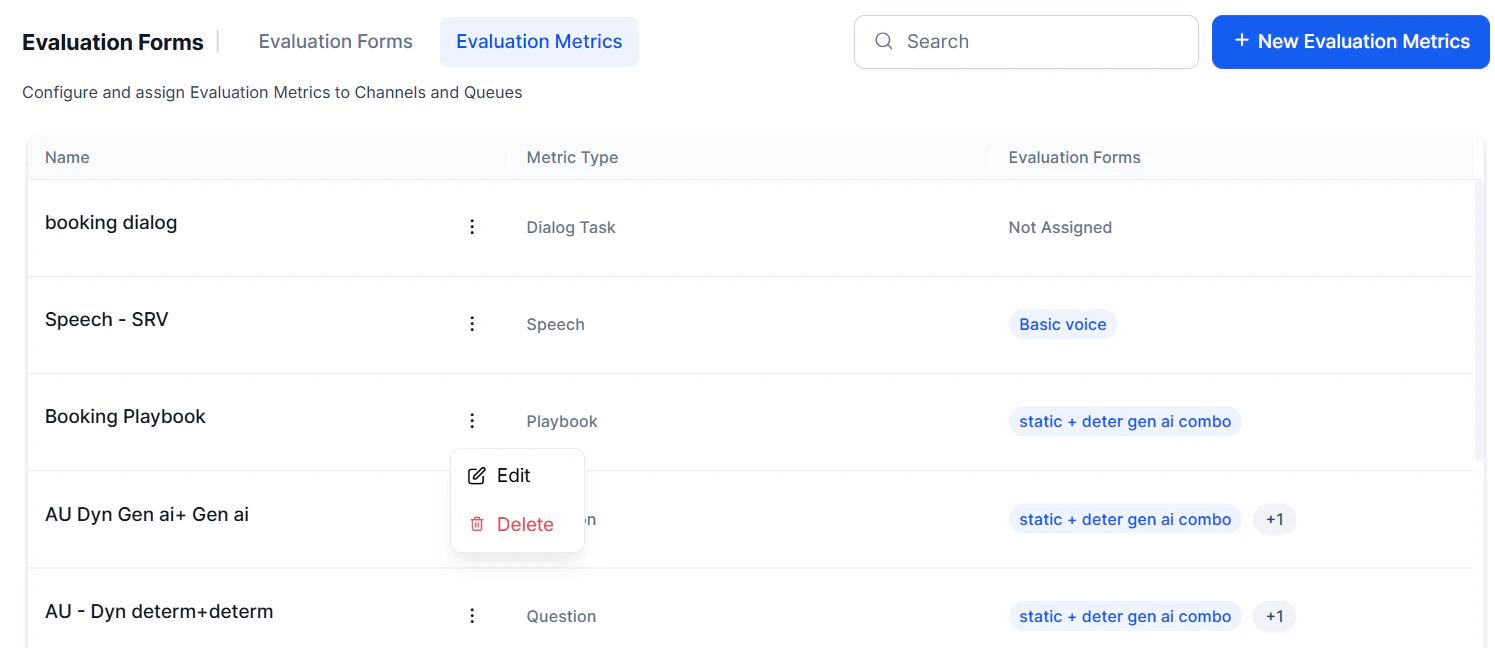
Select the By Playbook Adherence metric and click the ellipsis (⋮).
-
Choose an option:
-
Edit to modify the metric.
- Delete to remove the metric.
-
Edit to modify the metric.
- Select Update to save changes.
Deletion Requirements
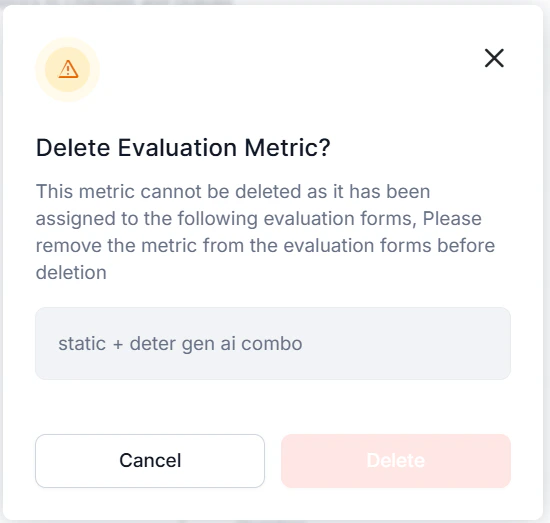
Before deleting, confirm:- The metric isn’t actively used in any evaluation form or workflow. The system shows a warning if it’s.
- Remove the metric from all associated evaluation forms.
- The system allows deletion only after all dependencies are resolved.