- Form data can’t be manipulated using a script.
- The script node doesn’t create a step in the flow automatically. Steps must be explicitly designed on the canvas.
Configure the Node
General Settings
In General Settings, configure the following: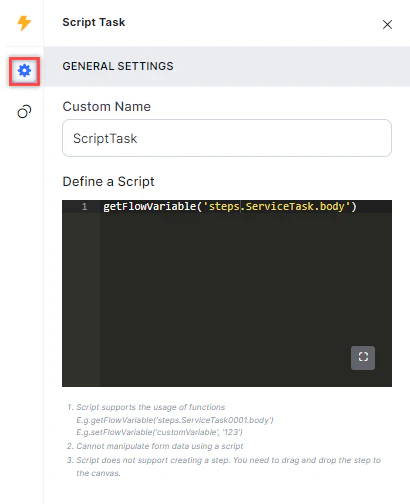
- Custom Name: Enter a name to identify the node.
- Define a Script: Use the JavaScript editor to write the script to run.
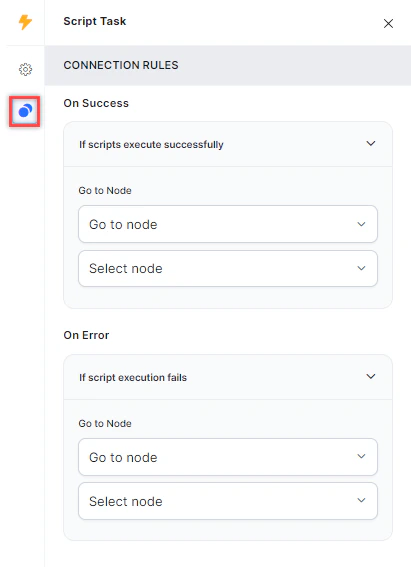
Connection Rules
Click the Connection Rules icon and select the target node for each outcome:- On Success: The flow routes to this node when the script runs successfully.
- On Error: The flow routes to this node when the script fails.