

- Navigate to Analytics.
- Under Search AI, select Content Insights.
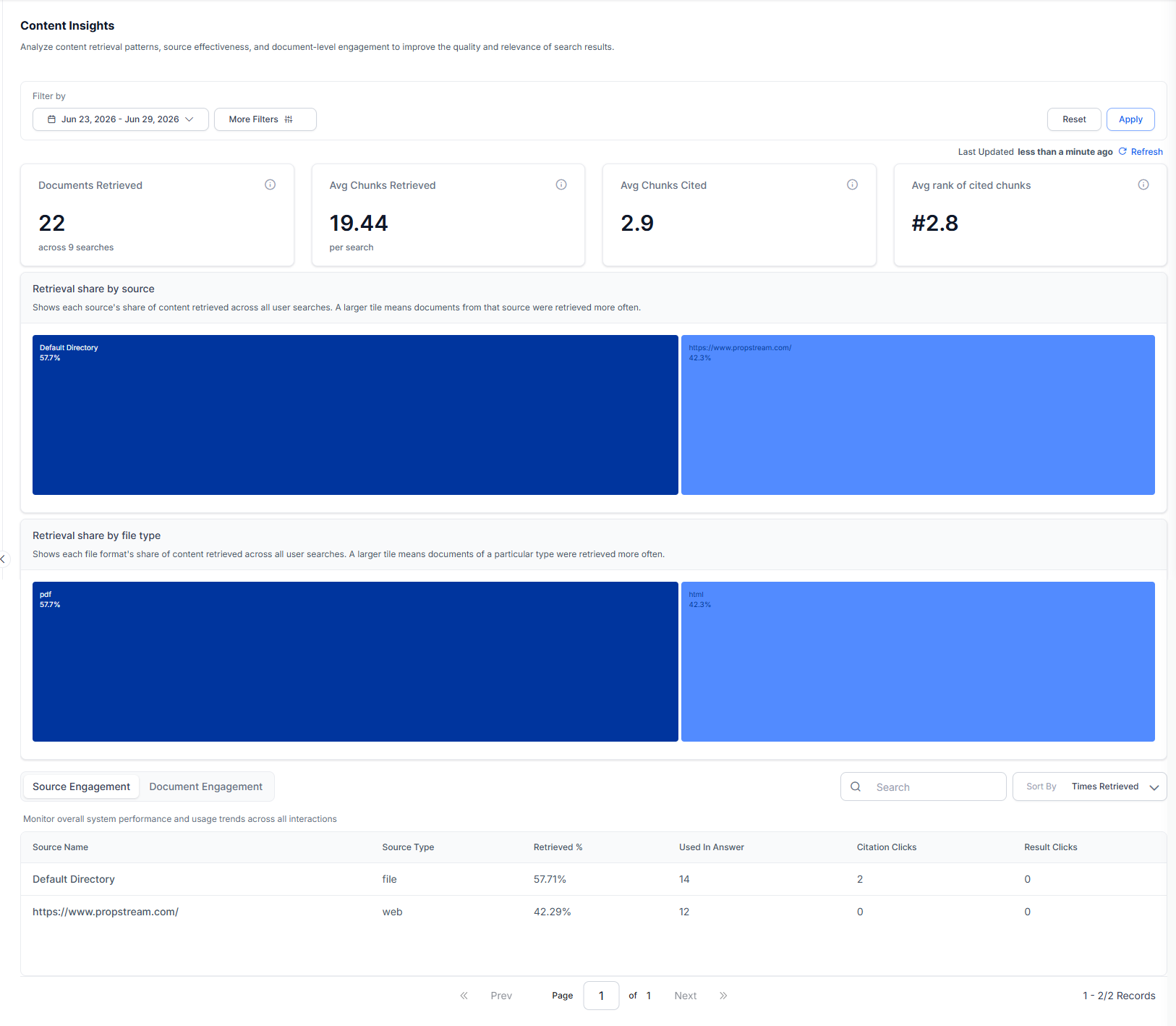
Key Metrics
Use the filter bar to scope all metrics and charts to a specific time window.
Retrieval Share by Source
A treemap showing each source’s share of total content retrieved across all user searches. Larger tiles indicate sources that were retrieved more frequently. Use this chart to identify which sources dominate retrieval and whether underperforming sources need attention.Retrieval Share by File Type
A treemap showing each file format’s share of total content retrieved. Larger tiles indicate file types that appear more frequently in retrieval results. Ensure the file type field is indexed for each chunk to enable the File Type chart.
Source Engagement
The Source Engagement table shows retrieval and engagement metrics per source, sorted by retrieval volume. Use Source Engagement to compare how effectively each source contributes to answers and search results.Document Engagement
The Document Engagement table shows per-document retrieval and click metrics. Use Document Engagement to identify high-retrieval documents that are not being cited or clicked, and low-retrieval documents that may need better indexing or content improvement. Use the search box and the Source filter to further filter the documents from a specific content source.Use More Filters to filter analytics by Interaction Type, Channels, or Custom Analytics Metadata. Custom Analytics Metadata filters use the metadata sent in the
analyticsMetadata field of the Advanced Search API request.