Documentation Index
Fetch the complete documentation index at: https://koreai.mintlify.app/llms.txt
Use this file to discover all available pages before exploring further.
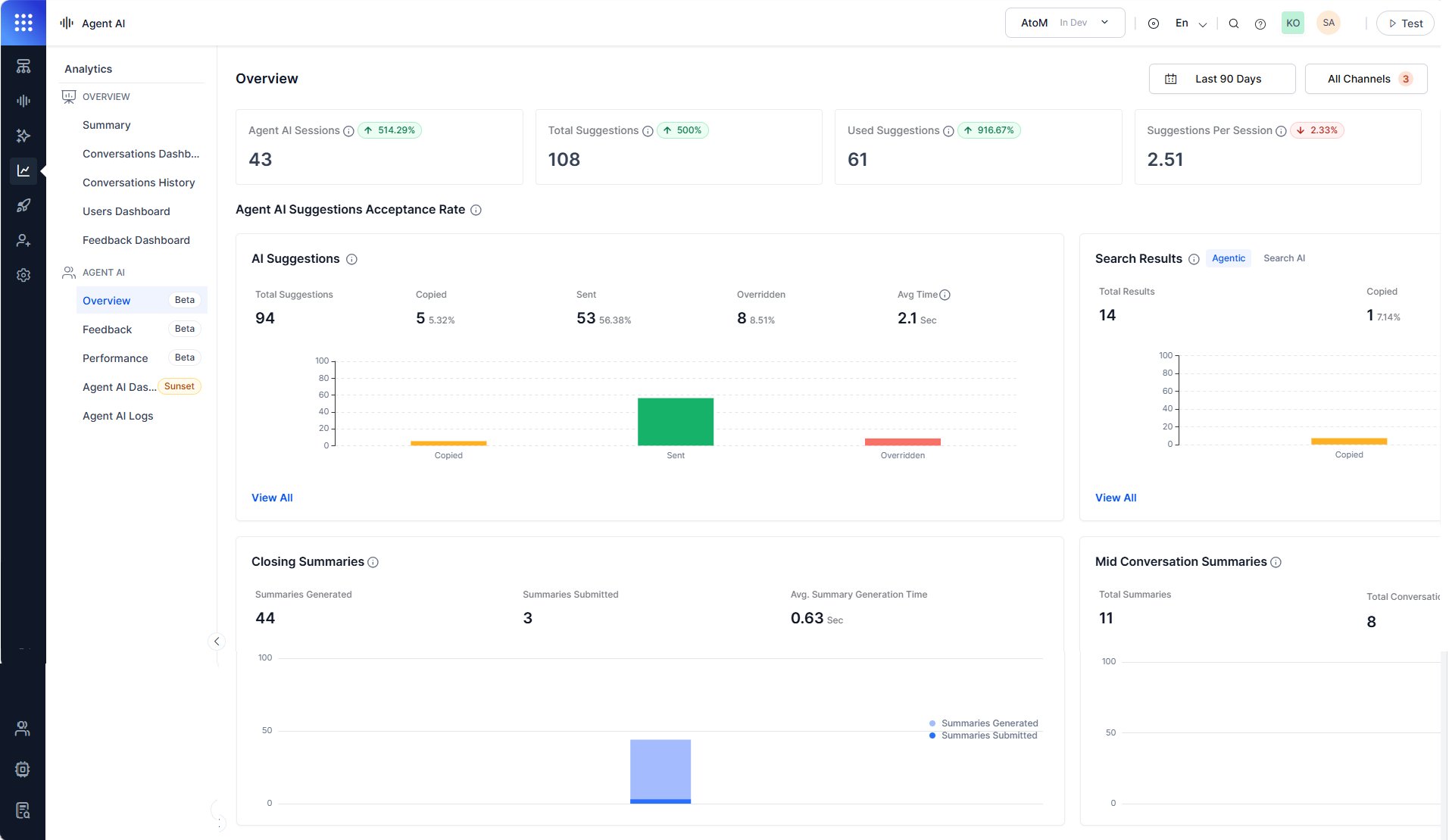
The Overview section gives supervisors and administrators a date and channel-filtered view of how agents interact with the Agentic Copilot suggestions, search results, and conversation summaries.
Use Overview to:
- Monitor suggestion adoption rates.
- Identify override patterns.
- Measure summary generation performance.
Access Overview
- In the Platform, go to Agent AI > Analytics.
- Select Agent AI > Overview.
- Filter data based on the following table:
| Filter | Description |
|---|
| Date range | Filters all metrics by the selected time period. Defaults to Today. |
| Channels | Filters data by channel—Chat, Voice, Email. Defaults to All Channels. |
Session and suggestion metrics
The top of the Overview section shows four summary metrics for the selected date range. Each metric card includes a delta indicator (↑ or ↓) that compares the current period against the previous equivalent period.
| Metric | Description |
|---|
| Agent AI Sessions | Total Agent AI widget sessions—My bot, search, and Agentic Copilot—across the selected time range. |
| Total Suggestions | Total Agentic Copilot suggestions shown to agents across all sessions. |
| Used Suggestions | Total suggestions used—copied or sent—across all sessions. |
| Suggestions Per Session | Average number of suggestions per session. |
Agent AI suggestions acceptance rate
The Agent AI Suggestions Acceptance Rate section breaks down how agents interact with the Agentic Copilot content. It contains two sub-sections:
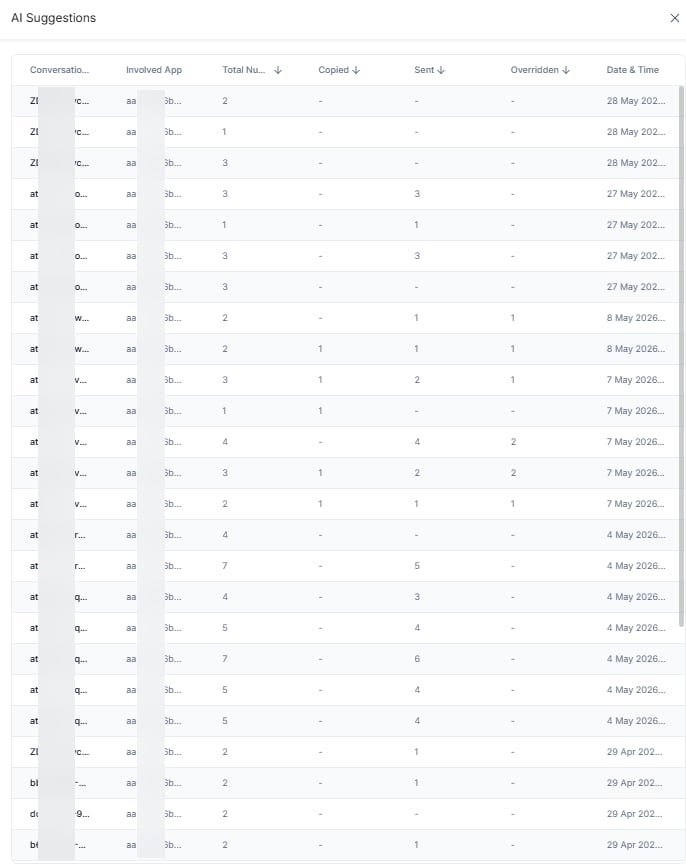
- AI Suggestions: Displays the Agentic Copilot suggestion usage metric.
- Search Results: Displays the search result usage metric.
AI suggestions
The AI Suggestions panel displays how agents handle the AI-generated suggestions. A bar chart compares the Copied, Sent, and Override values.
| Metric | Description |
|---|
| Responses | Total AI-generated suggestions presented to agents. |
| Copied | Suggestions agents copied. Displays as a count and percentage of responses. |
| Sent | Suggestions agents sent directly to customers. Displays as a count and percentage of responses. |
| Override | The number of custom requests agents sent to the Agentic app when the AI suggestions didn’t meet their expectations. Displays as a count and percentage of responses. |
| Avg Time | Average time the system takes to generate each AI suggestion. |
Search results
The Search Results panel displays how many search responses agents received, copied, and sent to customers from the Search tab.
| Metric | Description |
|---|
| Responses | Total search results the Search tab displayed to agents. |
| Copied | Search results agents copied. Displays as a count and percentage of responses. |
| Sent | Search results agents sent to customers. Displays as a count and percentage of responses. |
Closing summaries
The Closing Summaries panel displays how agents handled AI-generated end-of-conversation summaries. A bar chart tracks Summaries Generated and Summaries Submitted over the selected date range.
| Metric | Description |
|---|
| Total Summaries Generated | Total end-of-conversation summaries the Agent AI widget generated. |
| Summaries Submitted | Summaries agents submitted. |
| Avg. Summary Generation Time | Average time, in seconds, to generate a summary. |
Mid conversation summaries
The Mid Conversation Summaries panel displays metrics for intermittent summaries agents generate during active conversations. A bar chart tracks Total Summaries and Total Conversations over the selected time range.
| Metric | Description |
|---|
| Total Summaries | Total intermittent summaries agents generated. |
| Total Conversations | Conversations in which agents generated at least one intermittent summary. |
| Avg. Summaries Generated Per Conversation | Average intermittent summaries agents generated per conversation. |