

Configure Intermittent and End of Conversation Summaries
Steps to configure Intermittent and End of Conversation Summaries:
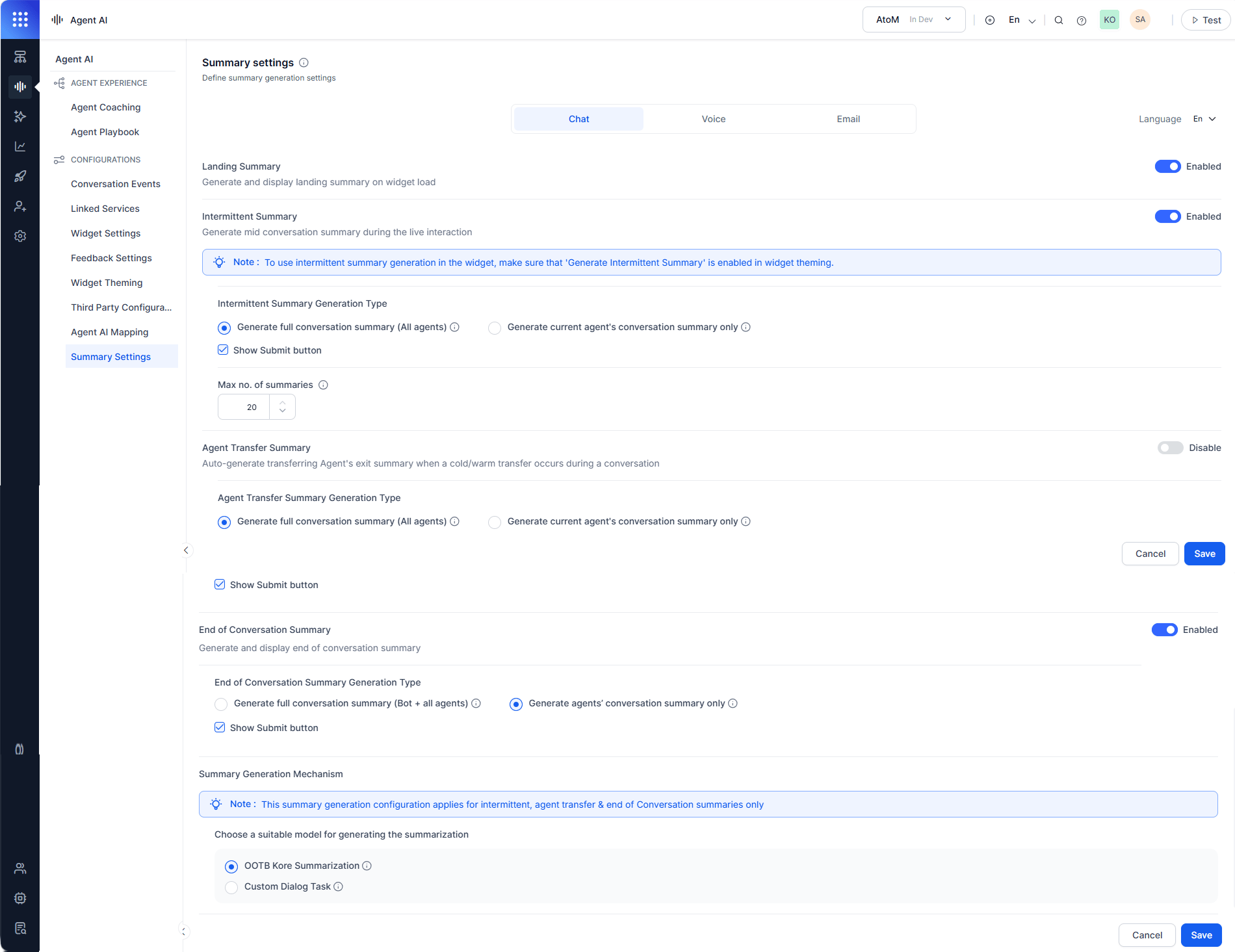
- Sign in to Platform > Agent AI.
- Go to Configurations > Summary Settings.
- Select a channel — Chat, Voice, or Email.
- Select a language from the Language list.
- Turn on the Landing Summary toggle.
-
Turn on the Intermittent Summary toggle.
Ensure Generate Intermittent Summary is on in Widget Theming.
- Select Generate full conversation summary (All agents) or Generate current agent’s conversation summary only.
- Select Show Submit.
- Set how many times an agent can generate intermittent summaries in the Max no. of summaries field.
- Turn on the End of Conversation Summary toggle.
-
Select Generate full conversation summary (Bot + all agents) or Generate agent’s conversation summary only.
Configure Agent Transfer Summary
Select to generate conversation summaries of all participating agents or only the current transferring agent during warm or cold transfers.Summary Generation Mechanism
Select how to generate the conversation summary: The Summary Generation Mechanism applies to Intermittent and End of Conversation Summaries only.
-
Select OOTB Kore Summarization or Custom Dialog Task.
- If you select Custom Dialog Task and the Configure End of Conversation Dialog Task is on, a Confirm Action window appears.
- Select Yes, Proceed.
- Select a dialog task from the Select Dialog list.
-
Select Save.
To use the Custom Dialog Task, you must turn off Configure End of Conversation Dialog Task in Conversation Events.