Configure Auto Summarization with Custom Dialog Tasks
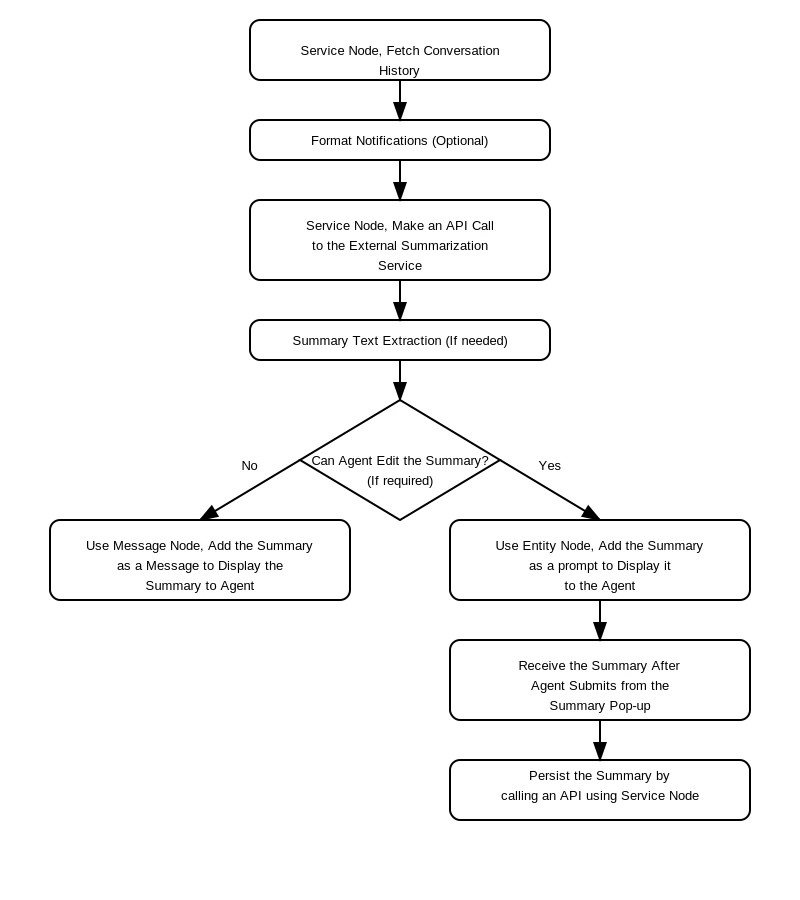
- Set up a service node to fetch the conversation transcript using the ChatHistory API. The API response includes the conversation summary.
- Send the transcript to your Summarization endpoint and save the result in a context variable.
- Create a string-based entity node to display the summary from the context variable.
- Ensure the dialog is enabled for the Agent AI chat or voice channel and the app is published.
- Go to Agent AI > Widget Settings > Agent AI Settings > Agent AI Channel Specific Settings > Auto Summarization > Auto Summarization Model, and select a dialog task under the Custom Dialog Task option.