

- Default Encryption - Automatic encryption using platform-managed keys.
- Bring Your Own Key (BYOK) - Custom encryption using organization-controlled keys.
Default Encryption Key Management
How It Works
By default, the platform automatically encrypts all enterprise data using a platform-managed encryption key. This includes:- User data and profiles
- App configurations and conversations
- Enterprise settings
Key Rotation
The encryption key follows a regular rotation schedule to maintain security:- Automatic rotation: Every 60 days
- Manual rotation: Available on demand through the admin console
Managing Default Keys
To generate a new enterprise data encryption key:-
Navigate to the Enterprise Key page in the Security & Control module.
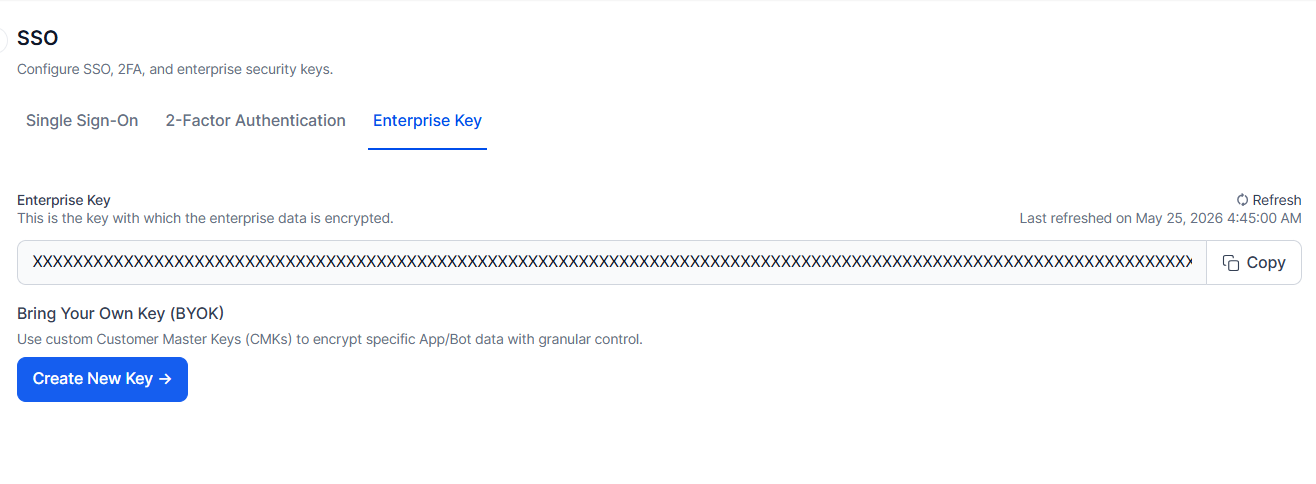
- Click the Refresh button. The system will generate and apply a new encryption key immediately.