

Back to Admin Console GuideDocumentation Index
Fetch the complete documentation index at: https://koreai.mintlify.app/llms.txt
Use this file to discover all available pages before exploring further.
This page describes the Admin Console Dashboard. For the Platform Analytics Dashboard, refer to the platform documentation.
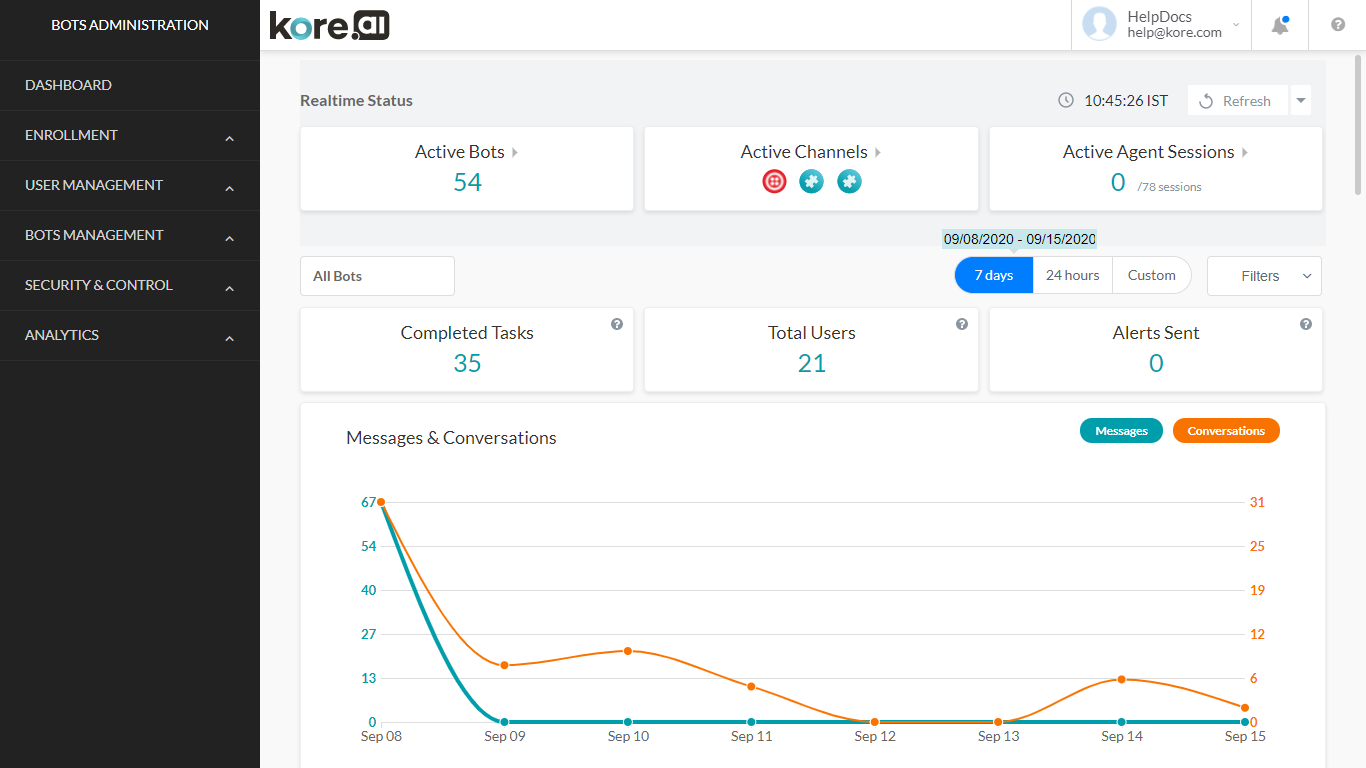
Real-Time Status
Refreshes every 1 minute (configurable via the dropdown next to the Refresh button).| Metric | Description |
|---|---|
| Active Bots | Assistants with one or more active sessions. Expand to see bot names and user counts. |
| Active Channels | Expand the card to see channel names and user counts. |
| Active Agent Sessions | Agent sessions currently in progress. |
Bot Metrics
Displays usage data for all bots over the last 24 hours by default.Filters
Bot and Task Selection- Select a specific bot, then optionally select one or more tasks within it.
- Default: metrics for all bots.
| Option | Description |
|---|---|
| 7 Days | Aggregated data for the past seven days |
| 24 Hours | Default — preceding 24 hours |
| Custom | Define a specific date range (up to 90 days before today) |
| Filter | Description |
|---|---|
| Conversation session type | Interactive (user sent messages) or non-interactive (only bot messages) |
| Channel | Filter by a specific channel |
| Meta tags | Filter by message, user, or session-level meta tags (AND condition across multiple selections) |
Metrics Displayed
- Completed Tasks — Total successfully completed tasks
- Total Users — Unique users who interacted with the assistant
- Alerts Sent — Total alerts delivered
- Messages and Conversation Sessions — Hourly/daily message and session counts
- Billing Sessions — 15-minute uninterrupted session billing cycles by hour/day
- Successful Tasks — Hourly/daily breakdown
- Active Users — Hourly/daily breakdown
- Bots Used — Activity related to specific assistants
Tag-Based Filters
Meta tag filtering is available for bot metrics when a single assistant is selected. Multiple tag values use an AND condition. Changing the bot selection resets tag filters.| Widget | Session Tags | User Tags | Message Tags |
|---|---|---|---|
| Realtime Widgets | — | — | — |
| Completed Tasks | ✓ | ✓ | — |
| Alerts Sent | ✓ | ✓ | — |
| Total Users | ✓ | ✓ | — |
| Messages & Conversation Sessions | ✓ | ✓ | ✓ (chats only) |
| Successful Tasks | ✓ | ✓ | — |
| Active Users | ✓ | ✓ | — |
| Bots Used | ✓ | ✓ | — |
| Sessions Count | — | — | — |
Tag-based filters are available only when a single assistant is selected.